Create a recap from one source
Follow a restoration story from a coral nursery to a living reef. This example uses noaa-restoring-coral-reefs-english, a 2:17 NOAA Ocean Today video with color underwater footage and English narration.
The walkthrough uses a real four-clip Working Set and a generated 47-second landscape cut. You can follow the same sequence with your own licensed educational, interview, or news source.
1. Search within one Ready source
In Sources, confirm the video is Ready, then choose Open in Search.
Keep only the coral-restoration source selected and enter
coral restoration in the main query.
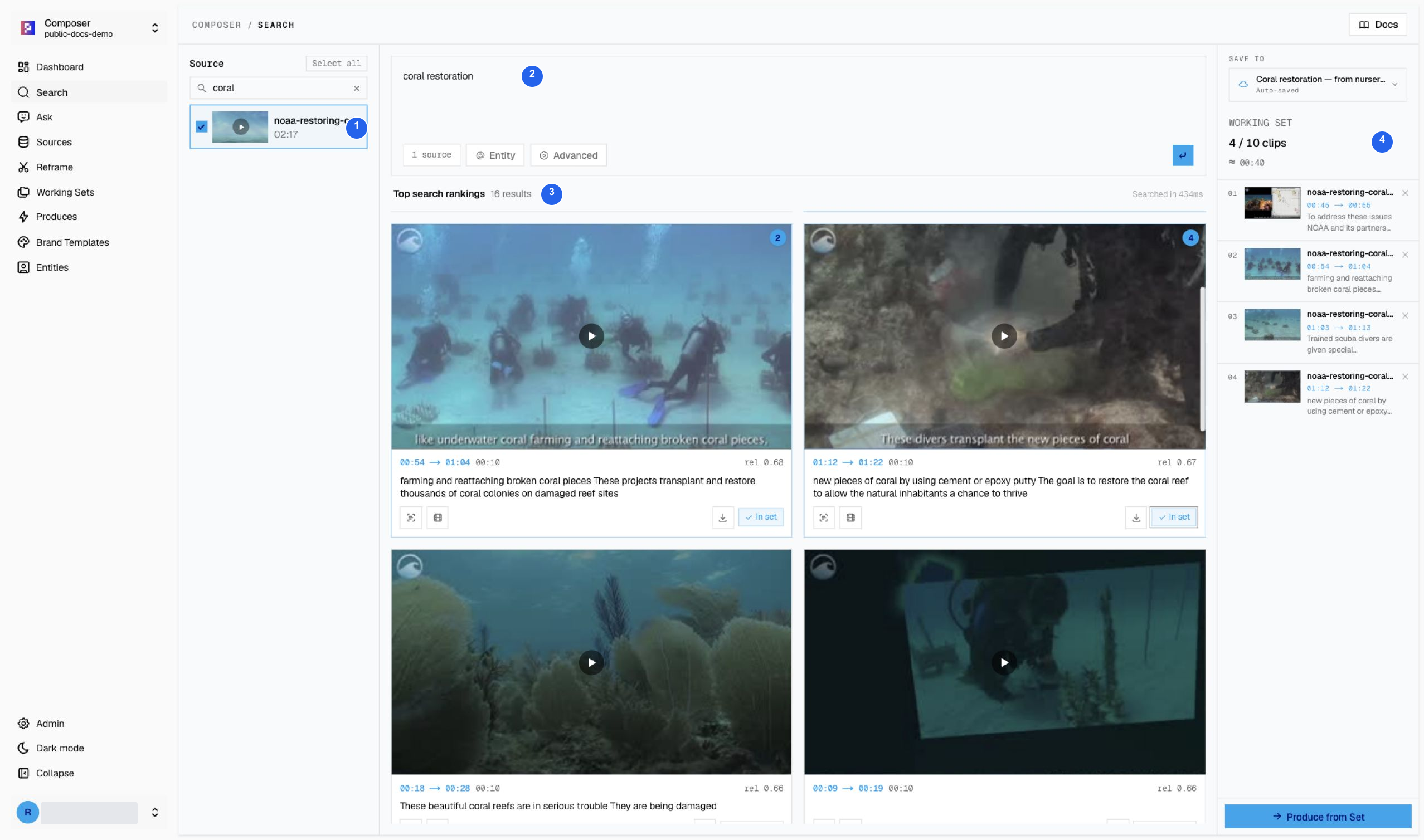
| # | What to check |
|---|---|
| 1 | The source-title filter contains coral, and only the intended video is selected. |
| 2 | The main content query is coral restoration. |
| 3 | This search returned 16 results. Preview the picture and narration before saving. |
| 4 | The save destination contains 4 clips in Coral restoration — from nursery to reef. |
The source-title filter narrows the library; it does not search spoken words. Use the main query to find moments inside the selected video. Result counts and ranking can change when the source is reindexed.
2. Arrange the restoration story
Save the following moments to one Working Set. Keep the order method → transplanting → divers → habitat.
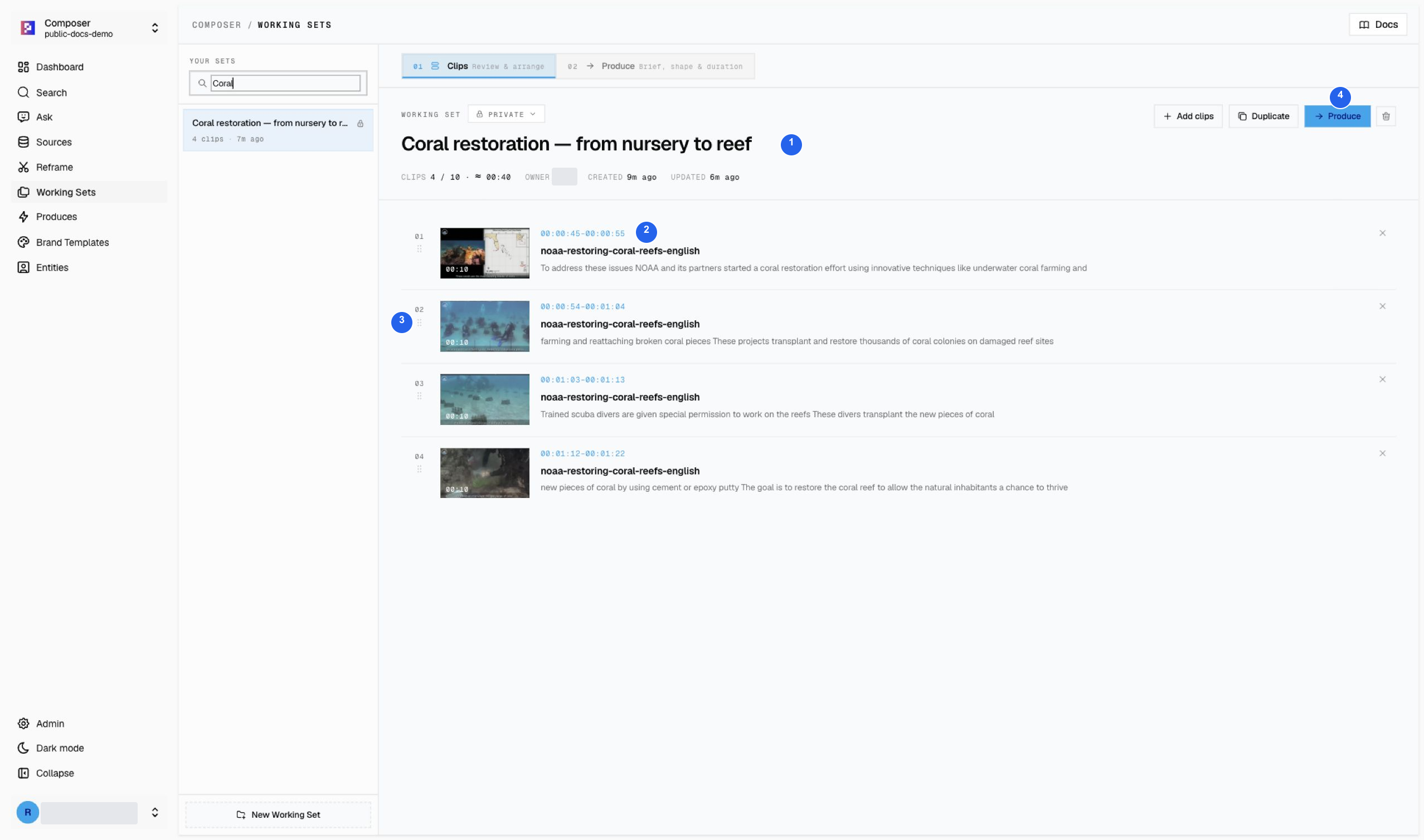
1 Set name and clip count, 2 source time ranges, 3 drag handles for ordering, 4 Produce.
| Source range | Role in the recap |
|---|---|
| 00:45–00:55 | Introduce NOAA’s restoration effort and coral farming. |
| 00:54–01:04 | Show how broken coral pieces are reattached and transplanted. |
| 01:03–01:13 | Introduce trained divers working on the reefs. |
| 01:12–01:22 | Explain attachment methods and the goal of restoring habitat. |
These search windows overlap. They form an approximately 40-second pool, not four separate sentences ready to concatenate. Ask the agent to join the overlaps without repeating narration, then check the joins yourself.
3. Give Produce a clear brief
Select Produce from the Working Set. Describe the story, source order, target length, and what must stay unchanged.
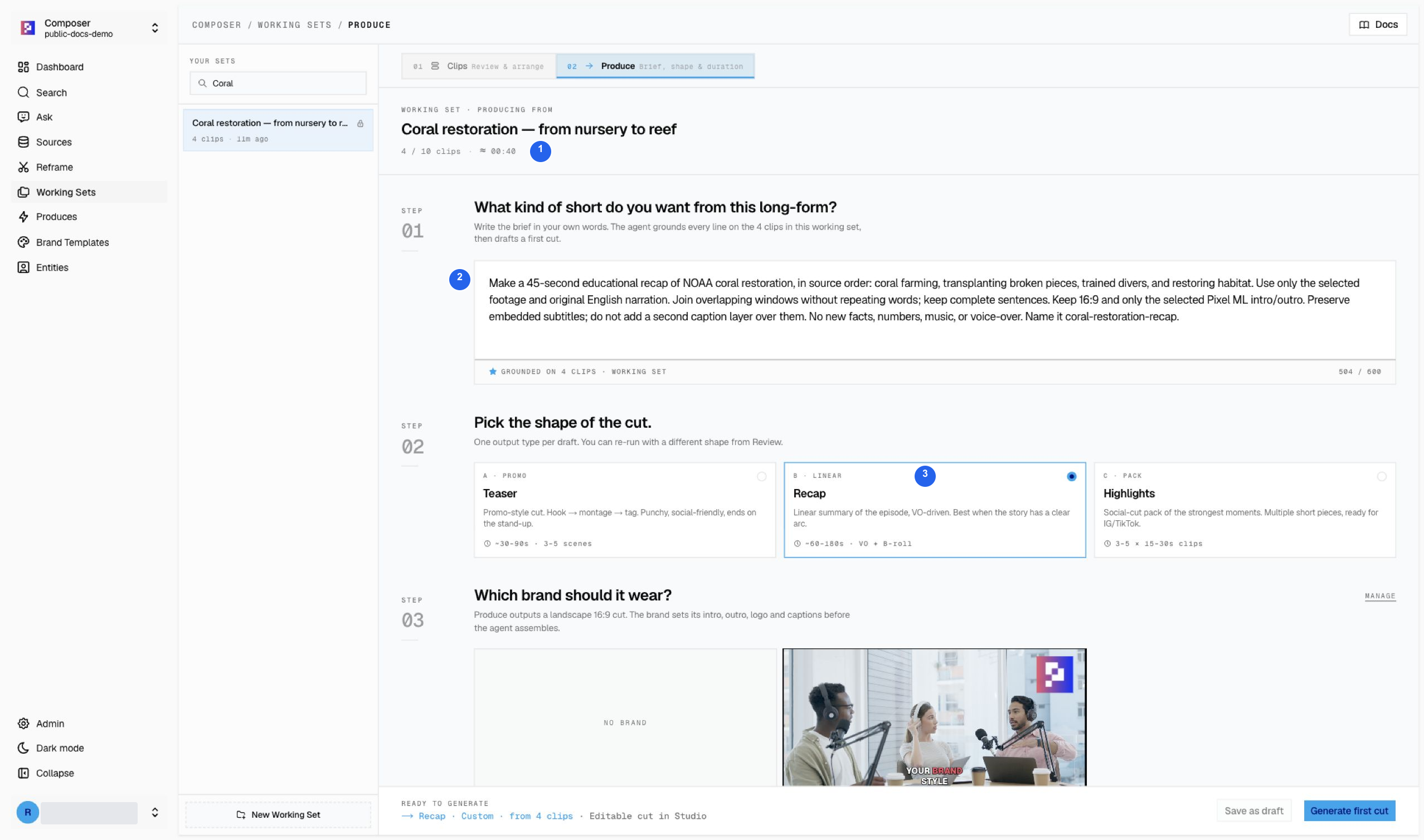
1 Four-clip source pool, 2 the brief, 3 Recap shape.
Make a 45-second educational recap of NOAA coral restoration, in source order: coral farming, transplanting broken pieces, trained divers, and restoring habitat. Use only the selected footage and original English narration. Join overlapping windows without repeating words; keep complete sentences. Keep 16:9 and only the selected Pixel ML intro/outro. Preserve embedded subtitles; do not add a second caption layer over them. No new facts, numbers, music, or voice-over. Name it coral-restoration-recap.Scroll down to check the remaining settings.
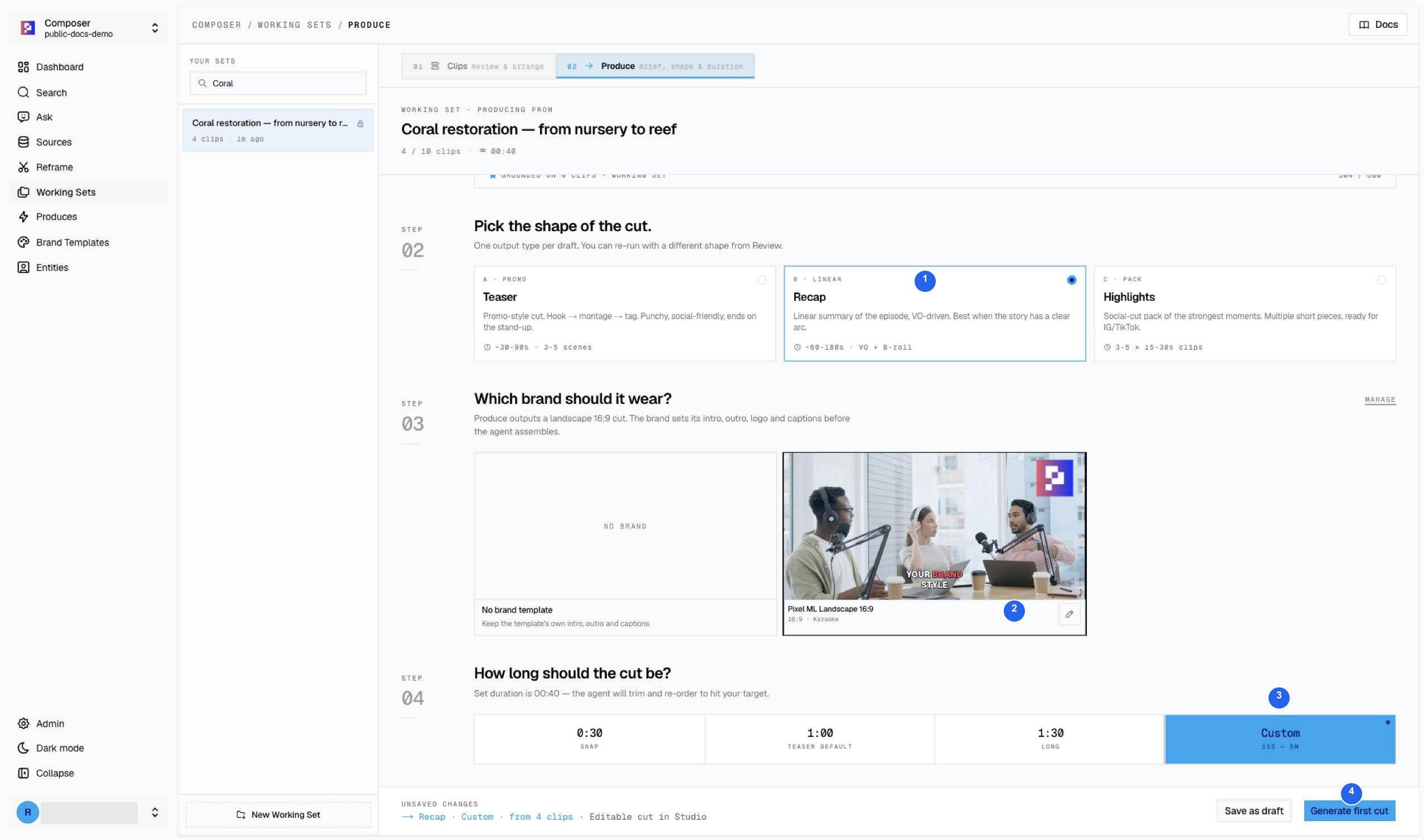
| # | Setting used |
|---|---|
| 1 | Recap for a linear explanation. |
| 2 | Pixel ML Landscape 16:9 for neutral intro, outro, and logo. |
| 3 | Custom — 15s–5m, with a 45-second target stated in the brief. |
| 4 | Generate first cut. Submit once and follow the current run. |
The saved project is coral-restoration-from-nursery-to-reef. Studio displays 0:47: the brief’s target is not an exact-duration guarantee.
4. Review the picture, narration, and branding
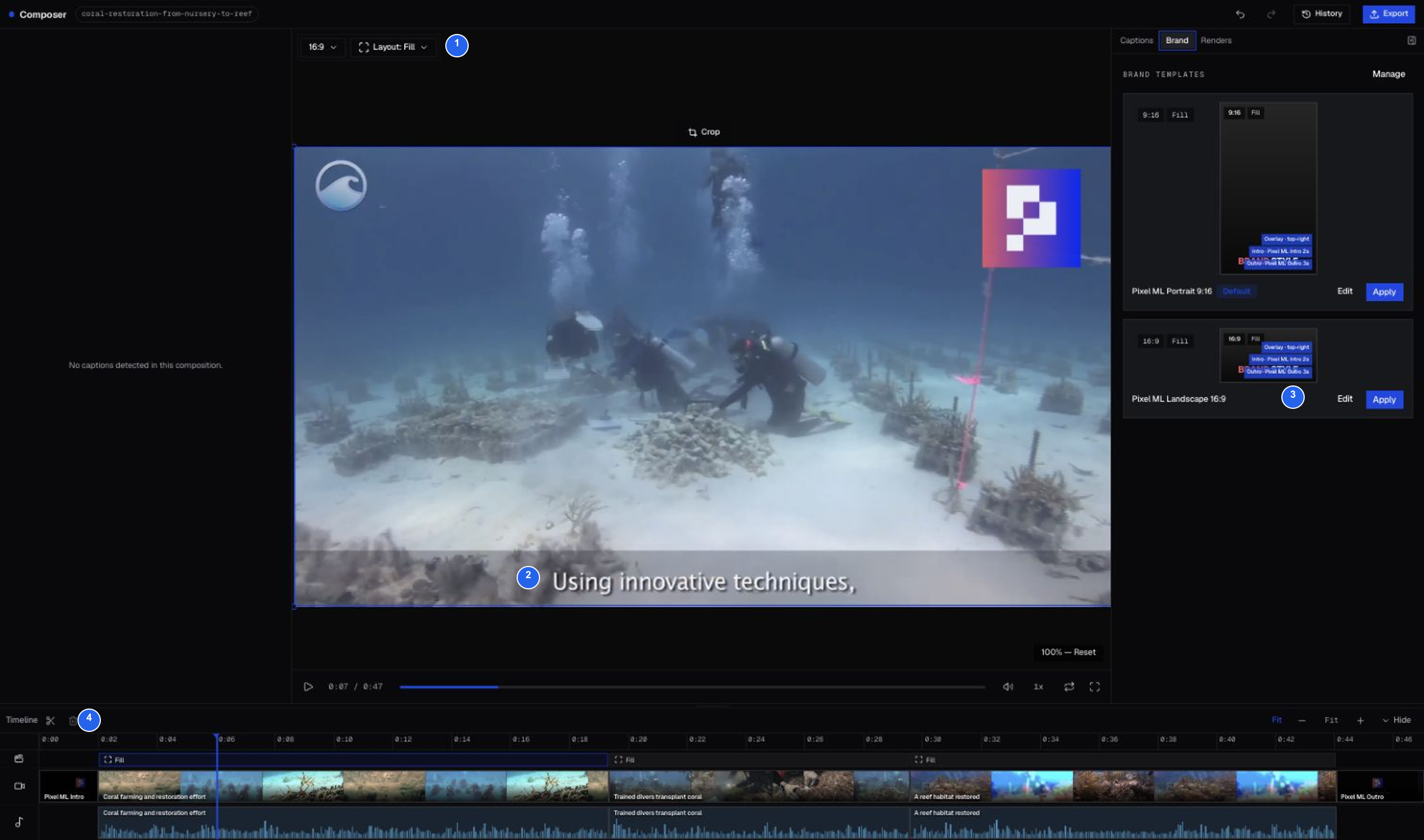
| # | What the screenshot demonstrates |
|---|---|
| 1 | 16:9 output with the source picture visible. |
| 2 | Subtitles already embedded in the source footage. |
| 3 | Neutral Pixel ML brand assets. |
| 4 | Three body sections between the Pixel ML intro and outro. |
This draft has no separate editable caption track. The visible subtitles are part of the original video, so the empty caption panel is expected. Do not add a second caption layer over them. For editable word-level captions, use a source without baked-in subtitles, as in the Nina Agentic example.
Play every join. Listen for repeated words from overlapping search windows, check that sentences end naturally, and retain the original source credits. A generated draft still needs this editorial check.
5. Render and review the MP4
Open Export to render the current edit.
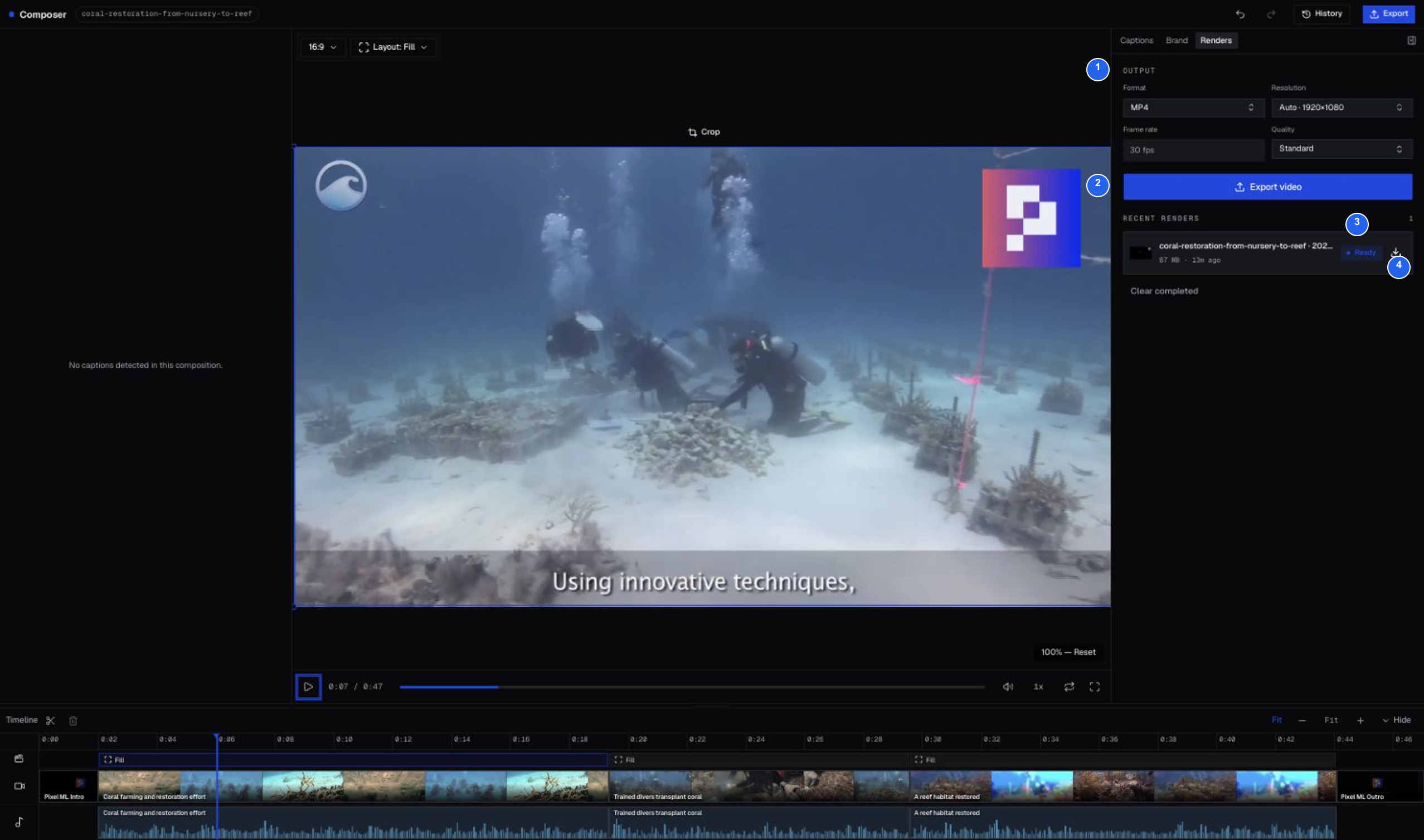
1 MP4 output settings, 2 Export video, 3 render status, 4 Download. Wait for Ready, then download and play the entire file before sharing it.
Footage: NOAA Ocean Today / National Ocean Service. Source credits and reuse conditions.