Sources
Sources is the indexed-video library for the active workspace. Start here to confirm that footage is ready before using Ask, Search, Produce, or Long to Short.
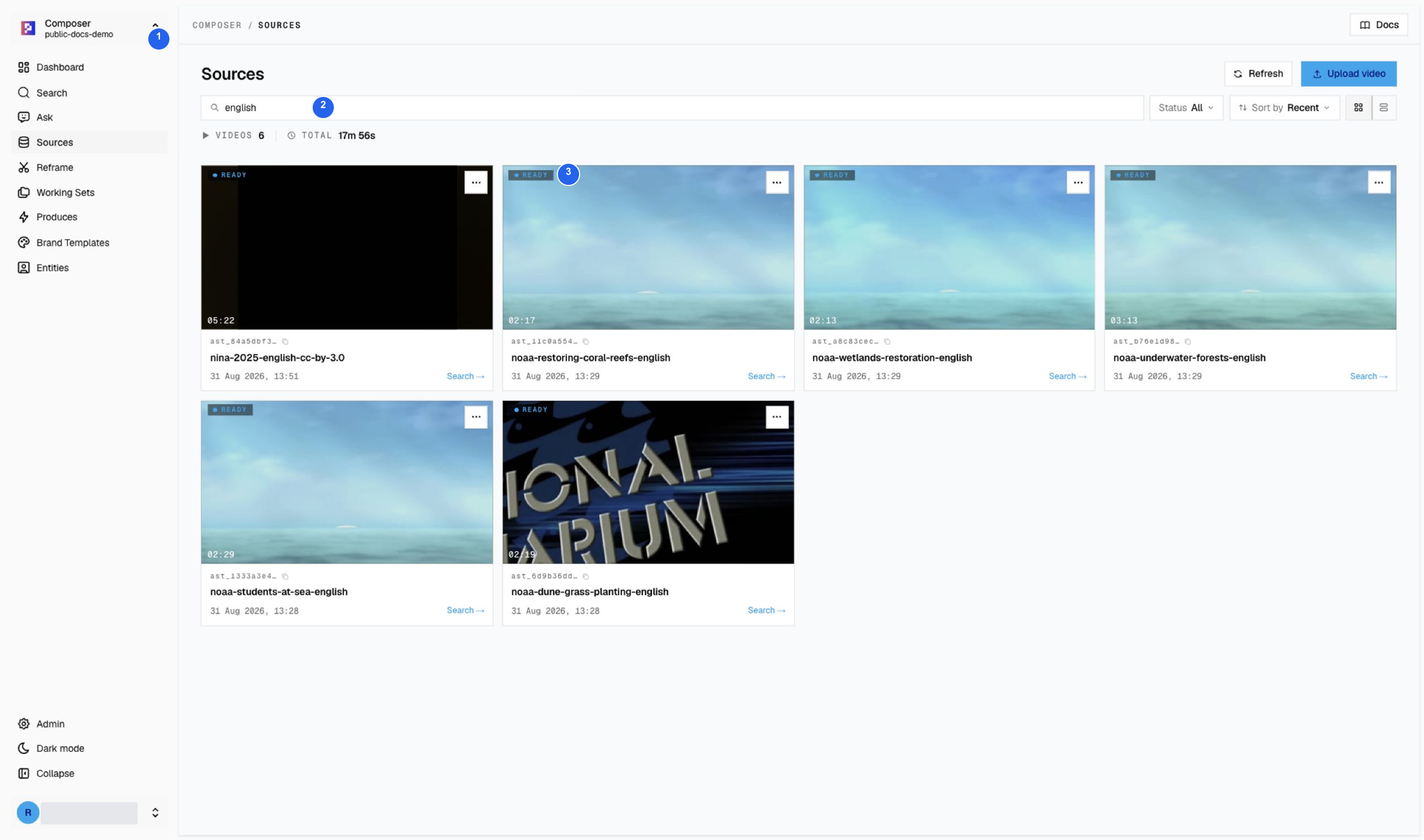
The library contains 12 videos. Entering english in the title filter shows
the six new color sources: Nina (2025), a live-action short drama, and five NOAA
Ocean Today features. This filtered group totals 17m 56s; earlier footage
remains in the archive.
In the grid screenshot, 1 confirms the active index, 2 marks the title filter, and 3 points to a Ready badge. The count and duration follow the filter. All six sources are Ready in this library capture. A black poster can be the actual opening frame; play the source before concluding that the upload failed.
Check source readiness
- Confirm the active workspace or index in the sidebar.
- Filter by title or use the status control to narrow the list.
- Use
Refreshif processing state looks stale. - Start downstream work only from a source marked
ReadyorIndexed.
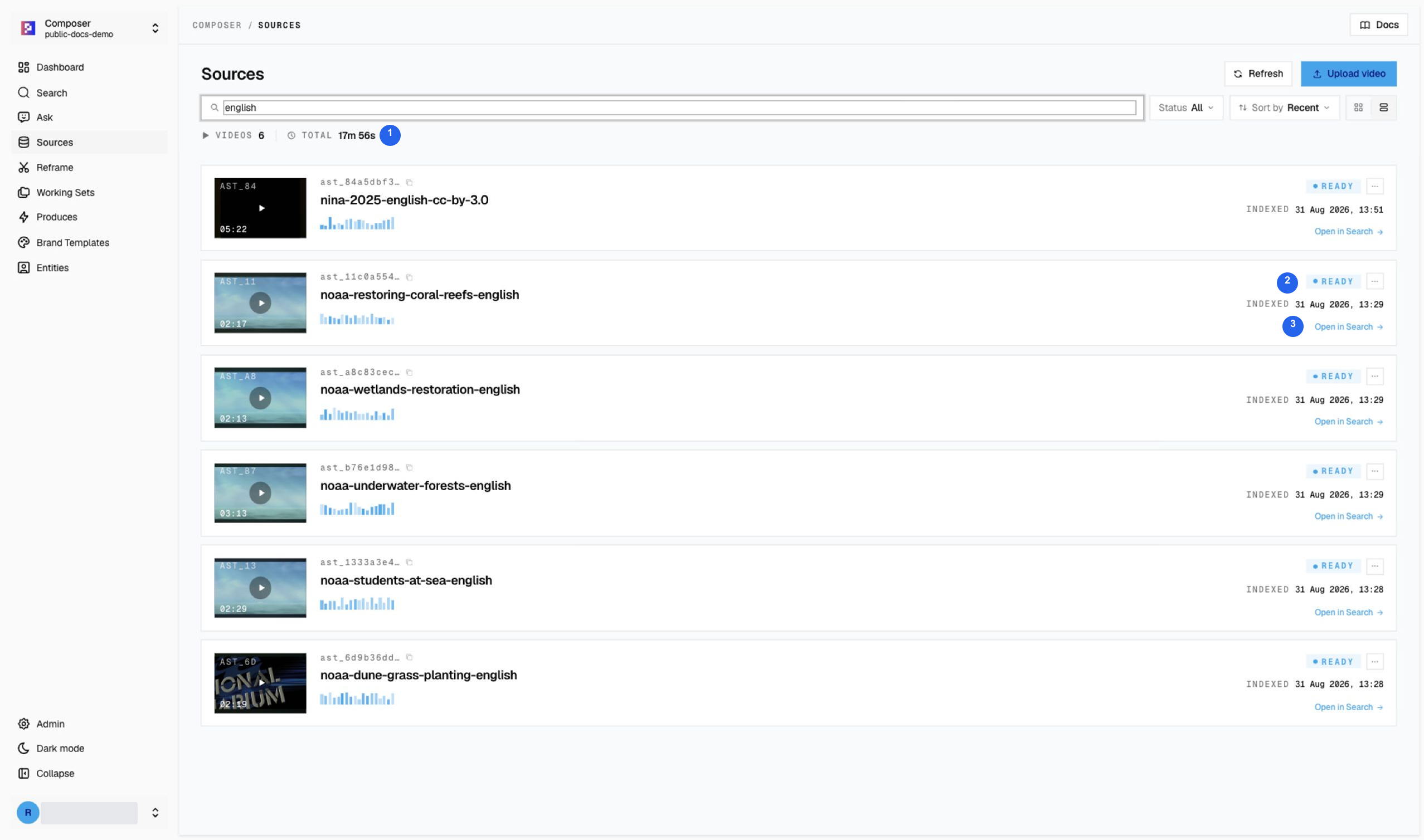
In list view, 1 shows the count and total duration, 2 is a source Ready
badge, and 3 opens that source in Search. A source that is still processing
may instead offer View progress; do not treat successful upload as completed indexing.
If processing is incomplete, wait, refresh, or ask a workspace administrator to review the source before relying on it for production.
Source actions
Preview media without confusing it with index readiness
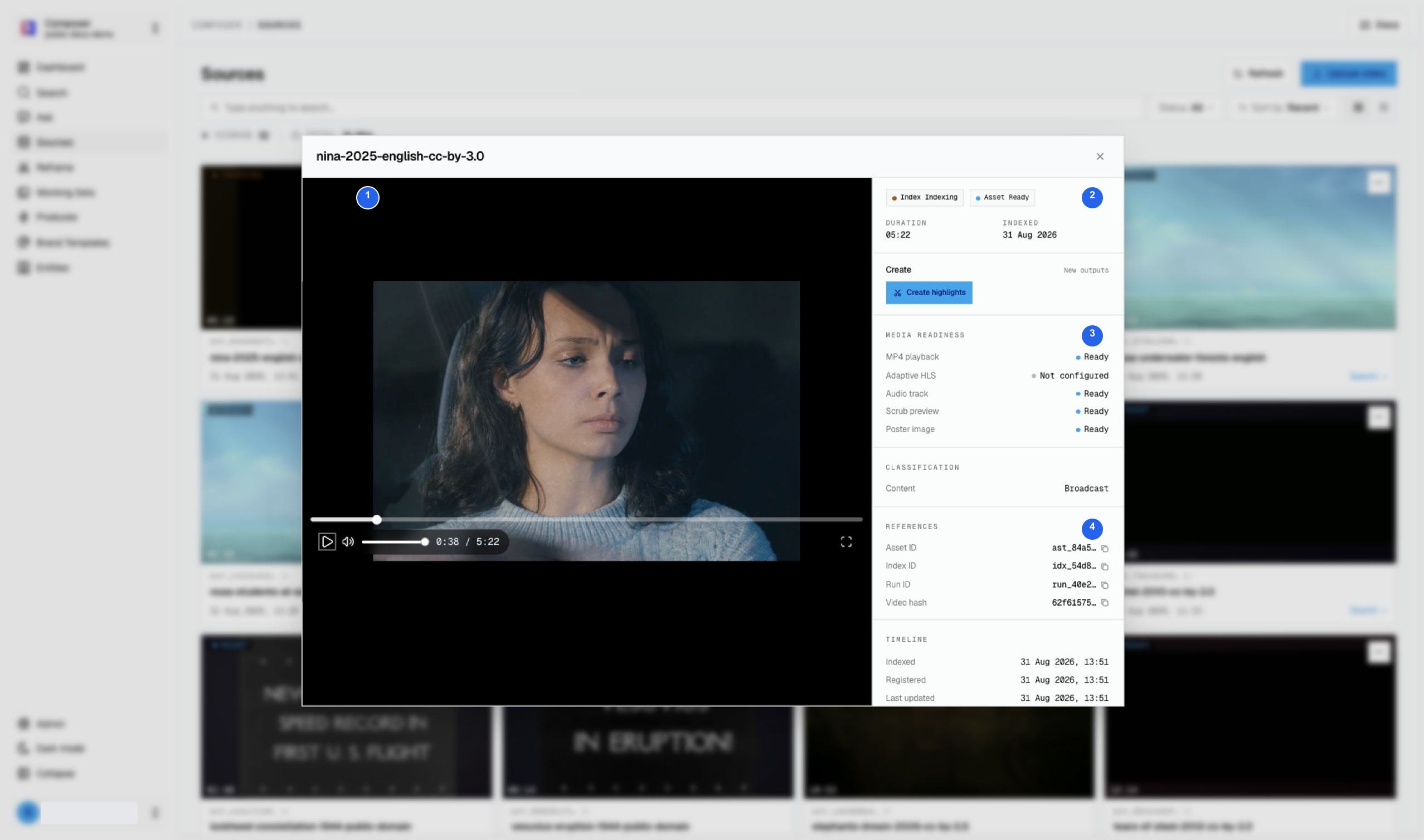
Select a source thumbnail to open its video preview and details. A file can be playable before its index has finished processing. The earlier Nina capture below shows that intermediate state; the refreshed library images above show the same source after indexing completed.
| Number | What to check |
|---|---|
| 1 | Play the real source and check its title, picture, audio, and duration. Nina is a 2025 live-action short film, with original 4:3 framing. Black space around the picture is not a reason to stretch the actors. |
| 2 | Read both badges. Asset Ready means the media is prepared; Index Indexing means Search processing has not finished. |
| 3 | Media readiness reports MP4 playback, audio, scrub previews, and poster availability separately. |
| 4 | Keep the Asset, Index, and Run IDs when reporting a processing problem. |
Footage: Nina (2025), Brendan Kaplan, CC BY 3.0; source and reuse details.
Open a source action
Open the row menu for actions tied to one source.
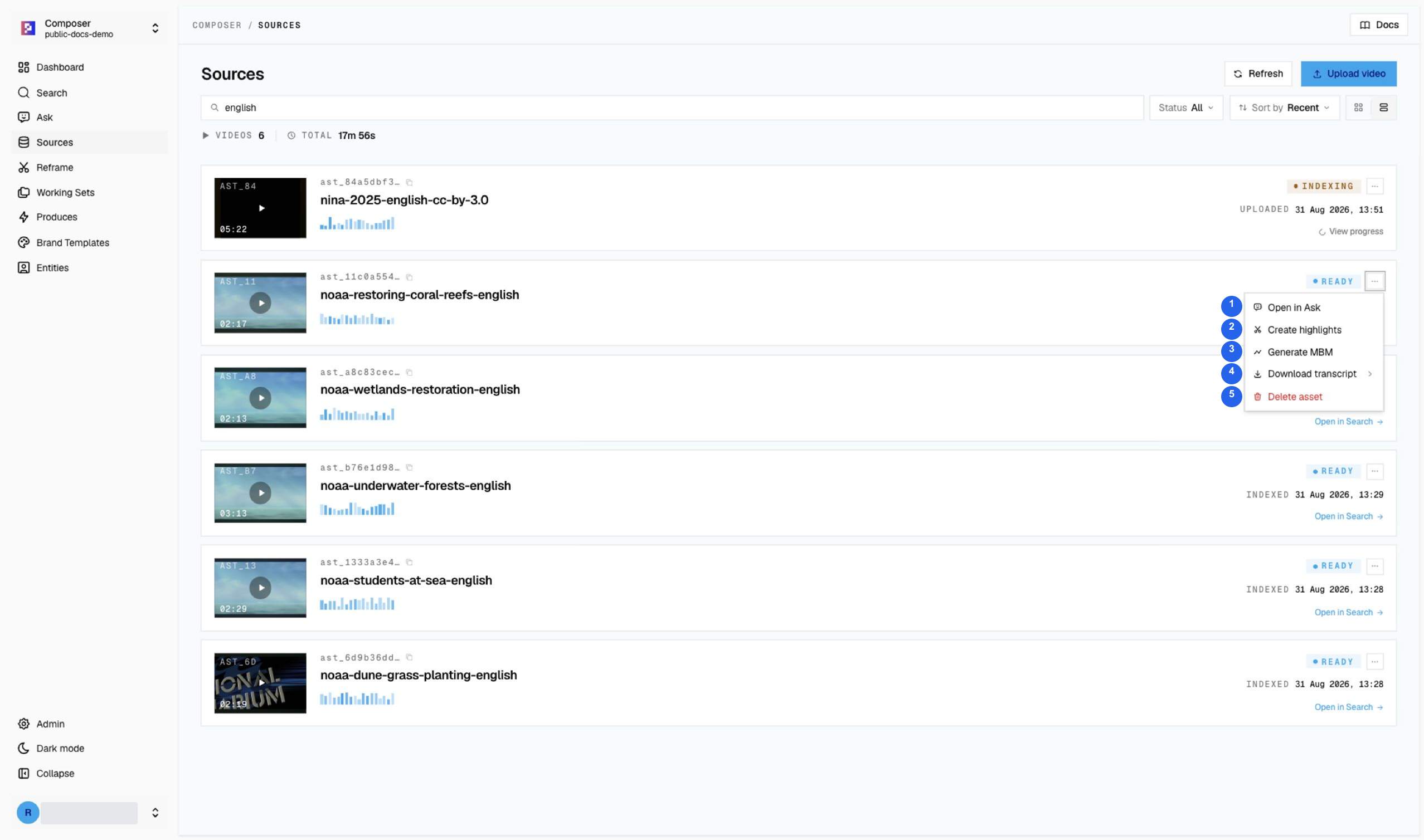
The numbered menu actions are 1 Open in Ask, 2 Create highlights, 3 Generate MBM, 4 Download transcript, and 5 Delete asset. Deletion is not part of this tutorial.
| Action | Use |
|---|---|
Open in Ask | Start a cited question using the source. |
Create highlights → Reframe | Keep each highlight as a continuous source window and adapt it to 9:16. |
Create highlights → Agentic Long → Short | Generate editable 16:9 takes with an optional angle, highlight length, and Brand Template. |
Generate MBM | Create or open a minute-by-minute timeline when enabled. |
Download transcript | Download the indexed transcript when the source is ready. |
Delete asset | Permanently remove the source. Use only during deliberate cleanup. |
Upload checklist
- Confirm you have permission to upload and reuse the footage. For the public tutorial library, see Demo media and credits.
- Prefer MP4 with H.264 video and AAC audio.
- Use a meaningful project, episode, segment, and date in the filename.
- Avoid duplicate exports unless they are intentional sources.
- Wait for processing to finish before relying on Search, Ask, Produce, or Reframe.
- Keep the asset ID and page URL when reporting a processing problem.