Best practices
Use this workflow to learn Composer with a small, reviewable project before building longer or more complex edits.

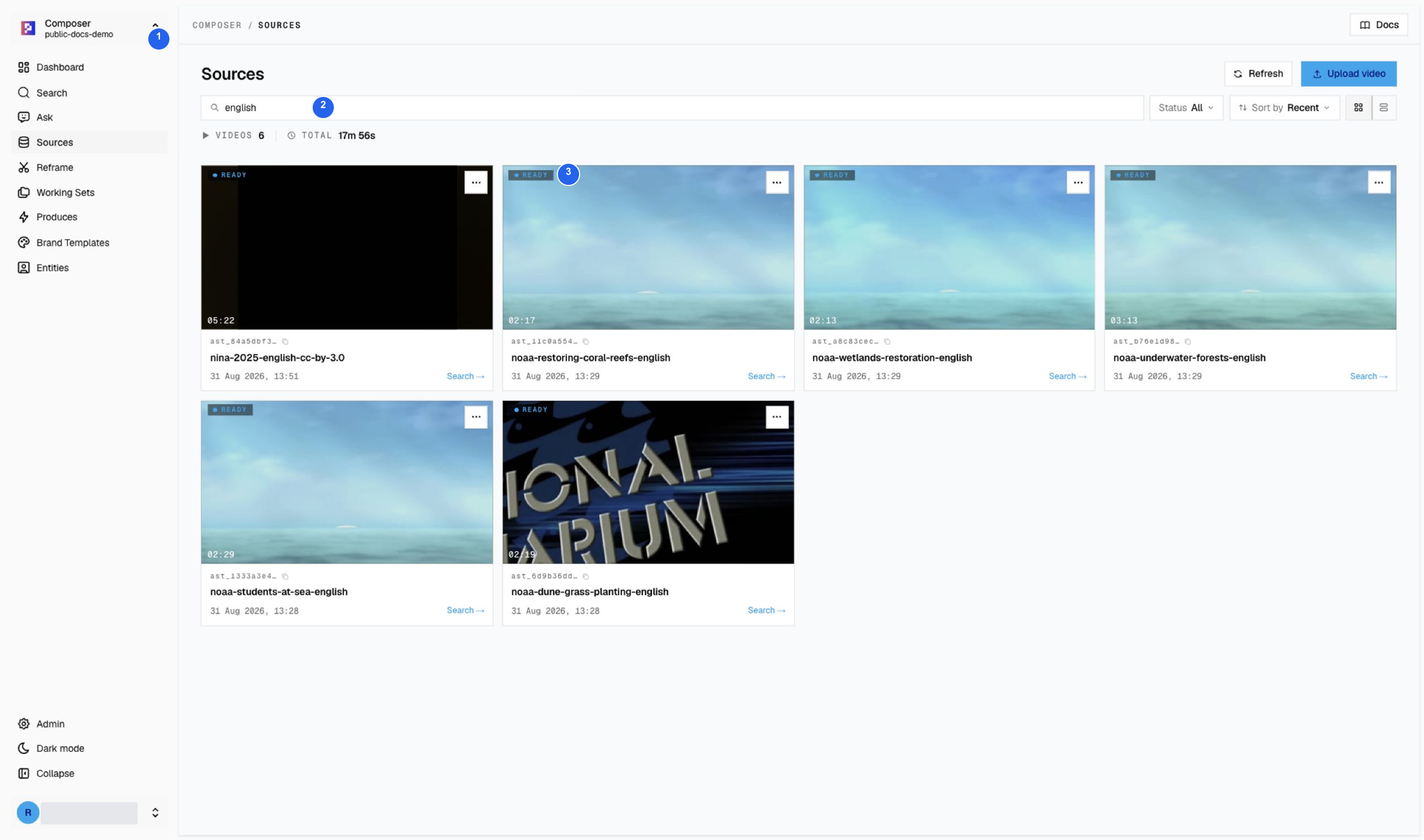
1 Check the index, 2 use the title filter, and 3 verify Ready status before searching. This view shows six new sources, not the entire 12-video archive. Nina and the five NOAA sources are all Ready. Media credits explain the licenses and source context.
Recommended first session
- Confirm the intended source is Ready, then select it in
Search. - Search for one clear moment, preview results, and save a focused Working Set. A set can contain up to 10 clips; three complementary moments are enough for the Nina exercise.
- Open
Produce, write a brief, choose shape and duration, and generate once. Follow progress inProducesuntil Studio is available. - Wait for caching in Studio, review the whole timeline, and adjust captions, framing, or brand treatment. Reopen the project to confirm edits were saved.
- Render, download, and play the final MP4 outside Composer before delivery.
Write focused searches
A good Search prompt describes one moment that can be verified on screen or in speech.
| Instead of | Try |
|---|---|
dramatic scene | person enters a crowded station |
important quote | speaker explains the project timeline |
highlights | host introduces the main topic |
Use Visual for scenes and actions, Transcription for exact words, and both
when the picture and speech must agree.
Try two separate editorial exercises
| Exercise | Source and query | Clip pool |
|---|---|---|
| Live-action drama teaser | Nina (2025), search leaving | Three verified windows: apology, reassurance, and missing each other. Follow the complete walkthrough. |
| Environmental explainer practice | Restoring Coral Reefs, try coral nursery | Preview the results and choose complementary restoration moments before writing a brief. This is a practice prompt, not a pre-verified result count. |
Keep these stories in separate sets. Multi-source Search is useful for discovery; it is not a reason to mix fictional dialogue with educational reporting.
Keep the Working Set intentional
- Remove near-duplicates and weak matches.
- Check that every thumbnail, source title, and time range belongs to the intended scene.
- Arrange clips in a useful story order before Produce.
- Duplicate the set before making a substantially different version.
- Use a clear name that will still make sense in Produces and Studio.
Review the generated draft
The first cut is a starting point. Confirm:
- body clips and captions exist between Intro and Outro;
- video, audio, and captions remain aligned;
- framing and crop follow the active speaker or editorial focus;
- caption text, names, and numbers match the source;
- ratio and Brand Template suit the target channel, and saved edits remain after reopening the project.
Continue with Search → Working Set → Produce → Studio for a complete workflow.