Composer
Composer is a video intelligence workspace for teams that need to search long-form video, collect source-grounded moments, generate first cuts, review them in Studio, and export ready-to-use MP4s.
It is built for editorial, social, archive, and production workflows where teams need to find a person, quote, scene, topic, or story moment without manually scrubbing through every source.
This guide starts from the editor’s job, not from the app tabs. If you are new to Composer, read the first two pages, then follow one of the use cases.
Start here
App pages
| Page | Use it when you need to |
|---|---|
| Dashboard | Review admin-only index analytics across assets, jobs, searches, and users. |
| Search | Find moments by scene, topic, person, dialogue, or visual detail. |
| Ask | Ask cited questions against the selected index and review the supporting source cards. |
| Sources | Upload videos, check indexing status, or open a source in Search. |
| Reframe | Generate short candidates from one long source with Pipeline or Agentic mode. |
| Working sets | Collect useful search clips before asking Composer to create a cut. |
| Produces | Find generated outputs and open them in Studio. |
| MBM export | Generate a per-minute structured export from indexed footage. |
| Entities | Add people or characters so Search can recognize them by name. |
| Admin | Manage index configs, indexes, and user roles. |
| Studio | Review the timeline, captions, brand elements, intro, outro, and export state. |
| Changelog | Check the current Composer version and release notes. |
Explore the public demo library
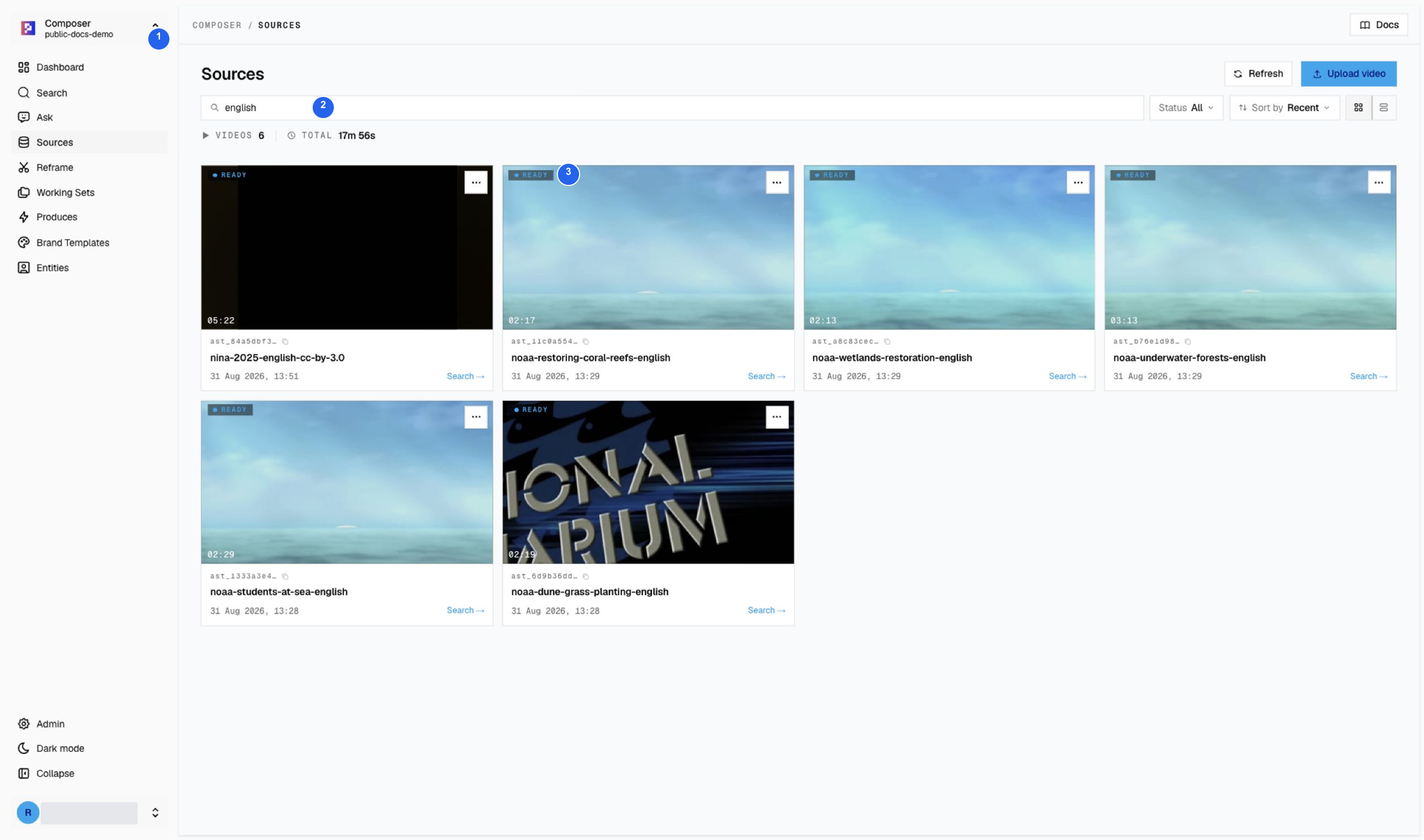
1 Active index, 2 title filter, 3 Ready status. The filtered view shows six additions to the 12-video archive: Nina (2025) and five color NOAA features. All six are Ready in this capture; start only after your chosen source is Ready. Try a drama teaser or a historical-news recap. The tutorials use licensed/public-domain media, not customer footage. Read the source credits and reuse conditions.
What “done” means
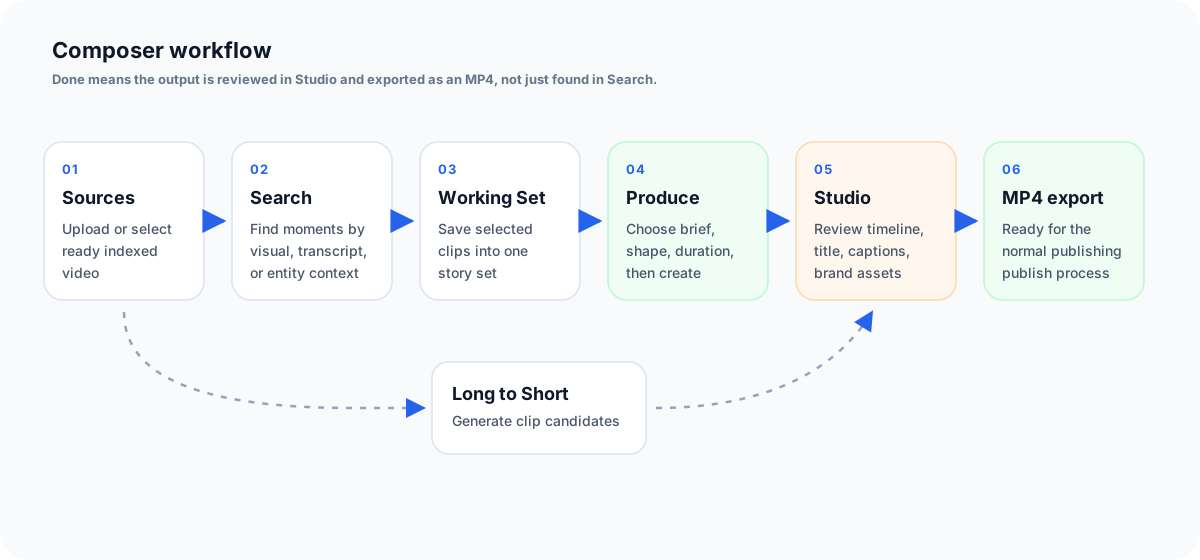
A Composer workflow is successful only when the editor can open the output, review the timeline, confirm the title, source footage, captions, logo, intro, outro, and export settings, then produce an MP4 that is ready for the normal publishing or review process.
Search results alone are not a finished output. A completed Reframe run is also not finished until someone opens the clip in Studio, reviews it, and exports it.
Composer starts from ready Sources. Editors can search clips into a Working Set or run Reframe, then review the output in Studio and export an MP4.