Ask a cited question and open the video
Video walkthrough: ask about a source, inspect cited moments, collect clips, and start Produce. Use fullscreen to read the controls. The recording uses different demo footage from the written example below.
Use Ask when you need to understand a source before selecting the edit.
1. Select the historical source
From Sources, open the Vesuvius source menu and choose Open in Ask. Keep this source selected; do not treat the separate aviation newsreel as corroboration for the eruption story.
2. Ask a source-answerable question
In this historical 1944 Vesuvius newsreel, what damage does the eruption cause,and what do people do in response? Cite the relevant moments.Do not describe it as current news.3. Open and review a citation
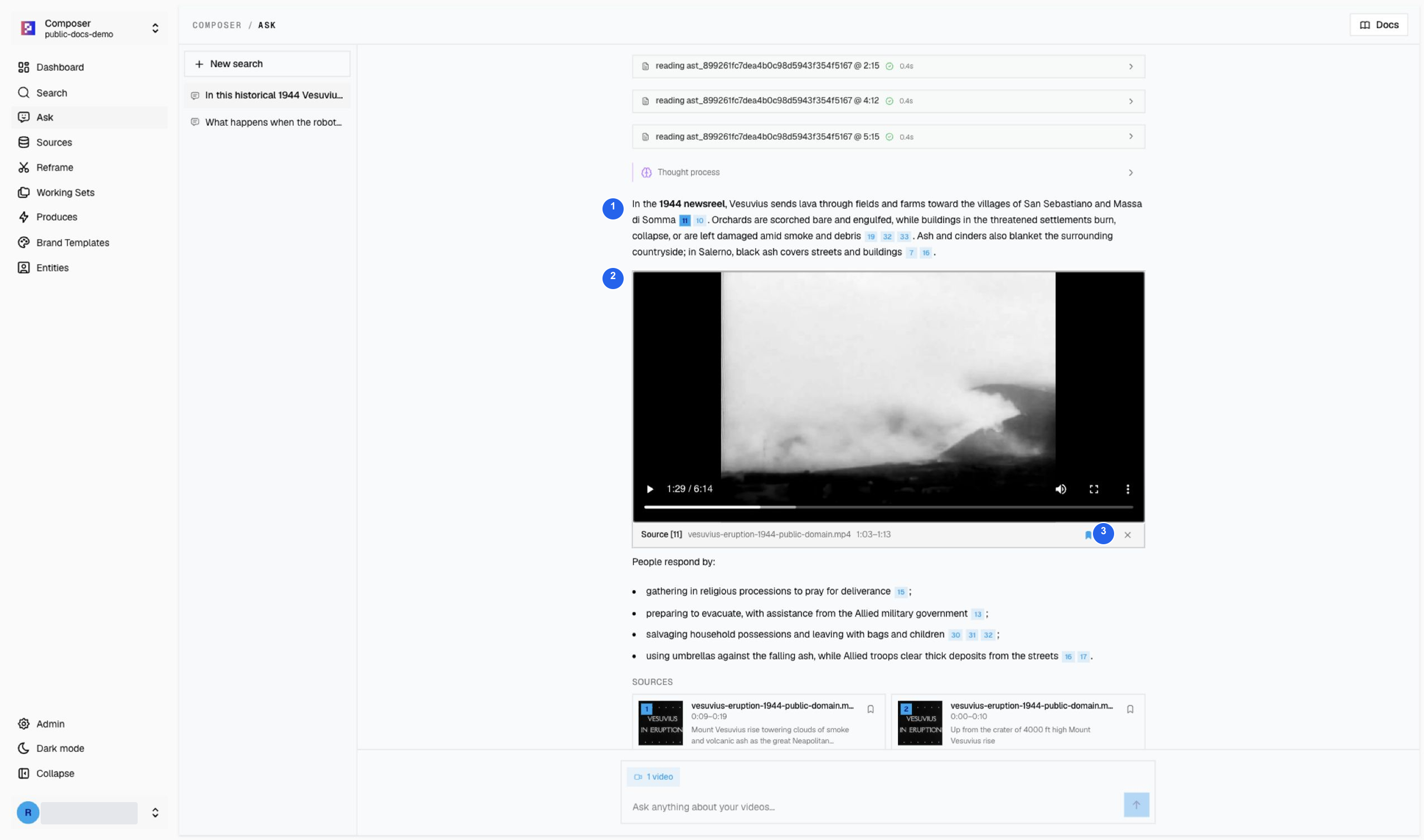
1 Follow the citation beside a claim. 2 Play and compare the source with the answer. 3 Save the supporting card only after checking it. The player can continue beyond the cited range, allowing you to review context.
Citation 11 in this answer points to 1:03–1:13. The screenshot was paused later during context review; the playback position and cited range serve different purposes.
4. Build a recap set
Save the damage (1:03–1:13), evacuation (4:12–4:22), and cleanup (5:33–5:43) cards to Vesuvius 1944 — damage and response. Confirm the set contains three clips. Close the Save picker between cards: each set choice is an independent membership toggle, not a single global destination.
Continue with Create a recap from one source.
Footage: United News / NARA, 1944. Credits and reuse details.