Create 9:16 short clips with Reframe
Video walkthrough: configure vertical highlights, open a completed highlight in Studio, and refine the edit. Use fullscreen to read the controls. The recording uses different demo footage from the written example below.
Reframe keeps a highlight as a continuous source window and adapts its framing to 9:16. This example uses Nina (2025), a modern live-action English short drama. The run completed all five stages and produced a reviewable MP4.
1. Configure the source-faithful run
From the Ready Nina source in Sources, open its menu and select Create highlights.
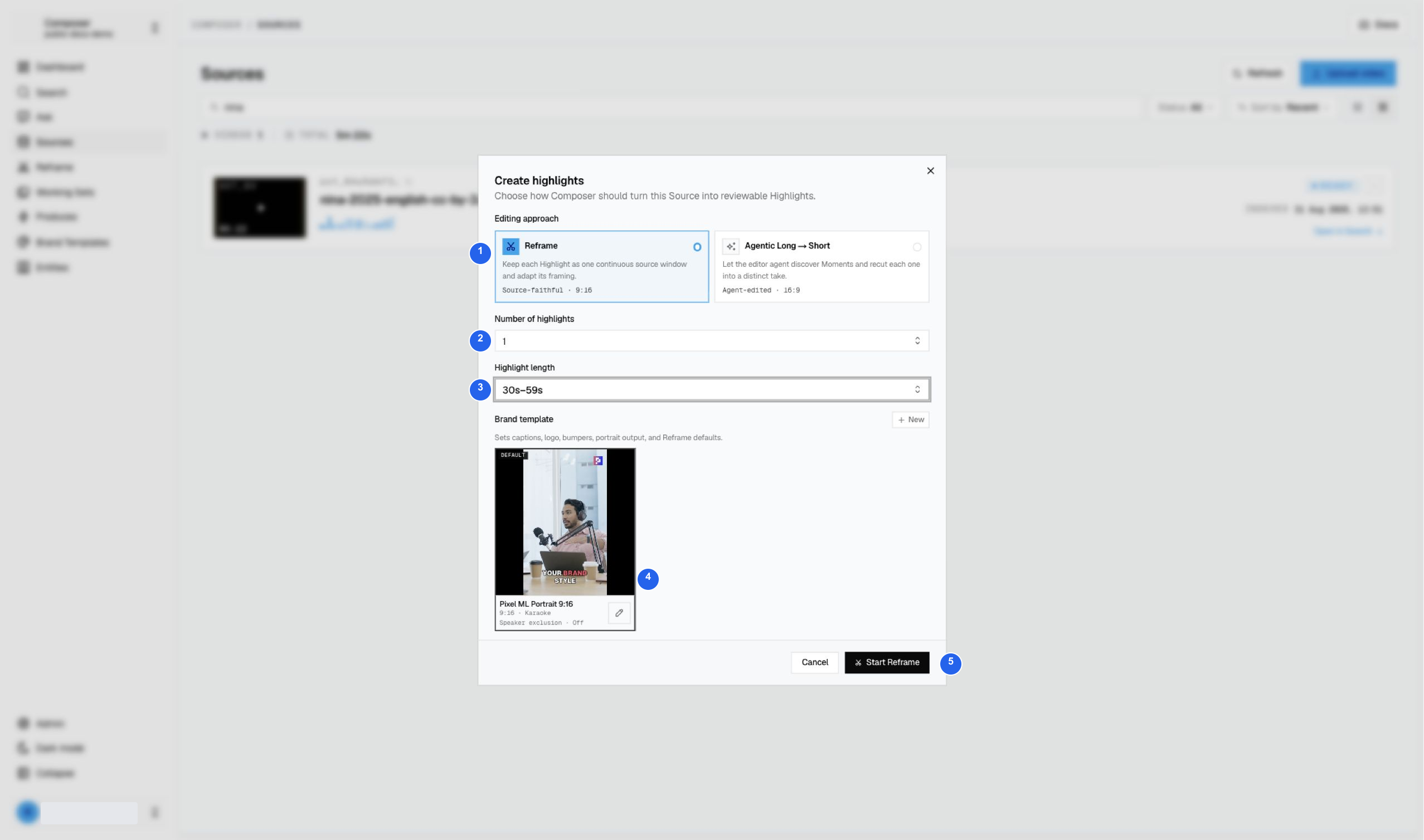
| # | Control | Value used |
|---|---|---|
| 1 | Editing approach | Reframe · Source-faithful · 9:16. |
| 2 | Number of highlights | 1. |
| 3 | Highlight length | 30s–59s. |
| 4 | Brand template | Pixel ML Portrait 9:16, with Karaoke captions. |
| 5 | Start Reframe | Submit once and follow this run. |
Selecting a template up front gives the highlight its neutral logo, intro, outro, and caption style. You can review those choices in Studio afterward.
2. Review the completed highlight
The progress tracker covers source understanding, moment selection, assembly, framing, and rendering. Return through Reframe → Reframe if you leave the page while processing.
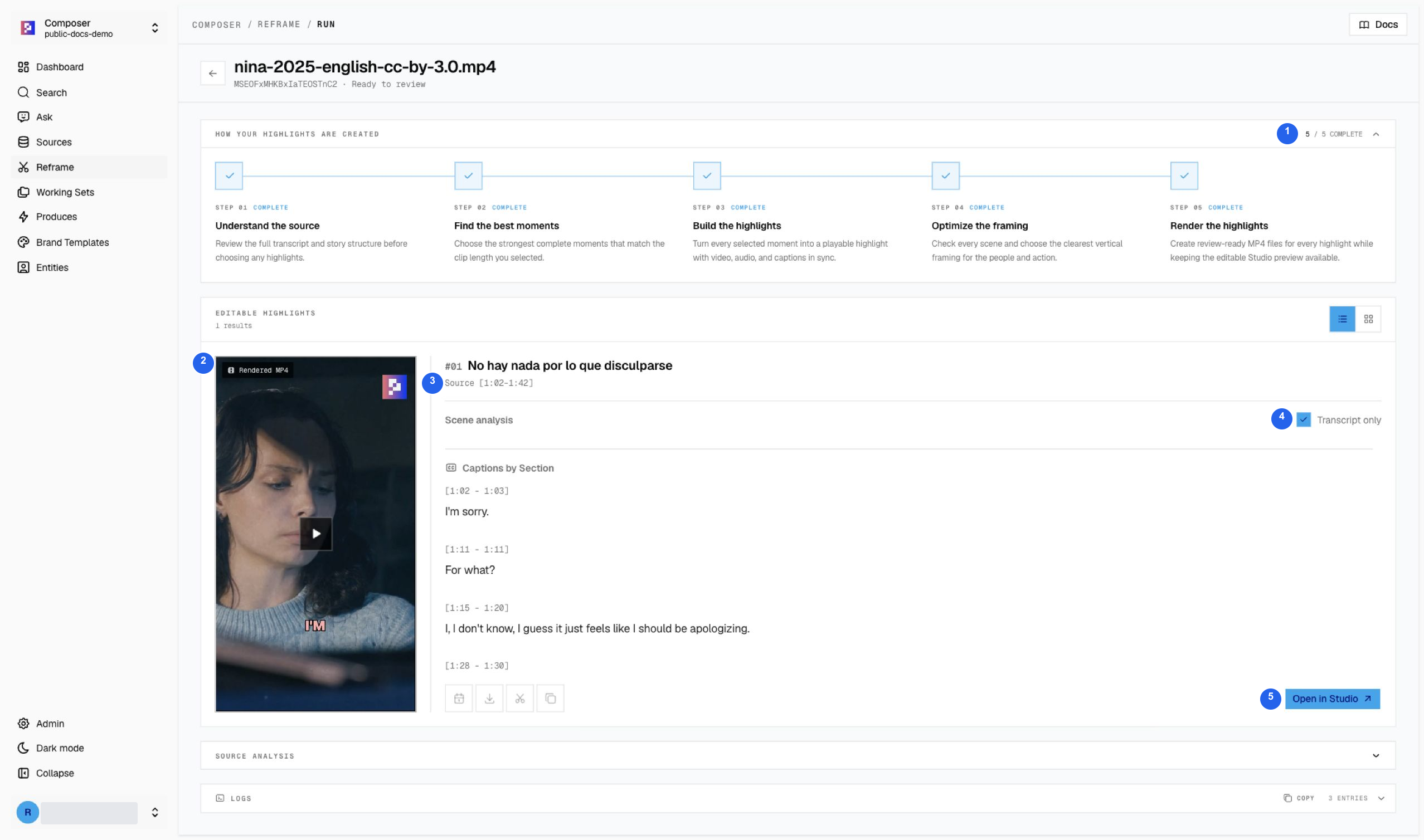
| # | What to check |
|---|---|
| 1 | 5/5 complete and Ready to review. |
| 2 | The rendered vertical MP4 preview. |
| 3 | The chosen source window, 1:02–1:42 in this run. |
| 4 | Transcript only reveals the English dialogue for review. |
| 5 | Open in Studio opens the editable highlight. |
The generated card title is “No hay nada por lo que disculparse”; the spoken dialogue and captions are English. Generated titles and selected moments can vary between runs. Use the actual source range and transcript to identify your highlight.
3. Check framing and captions in Studio
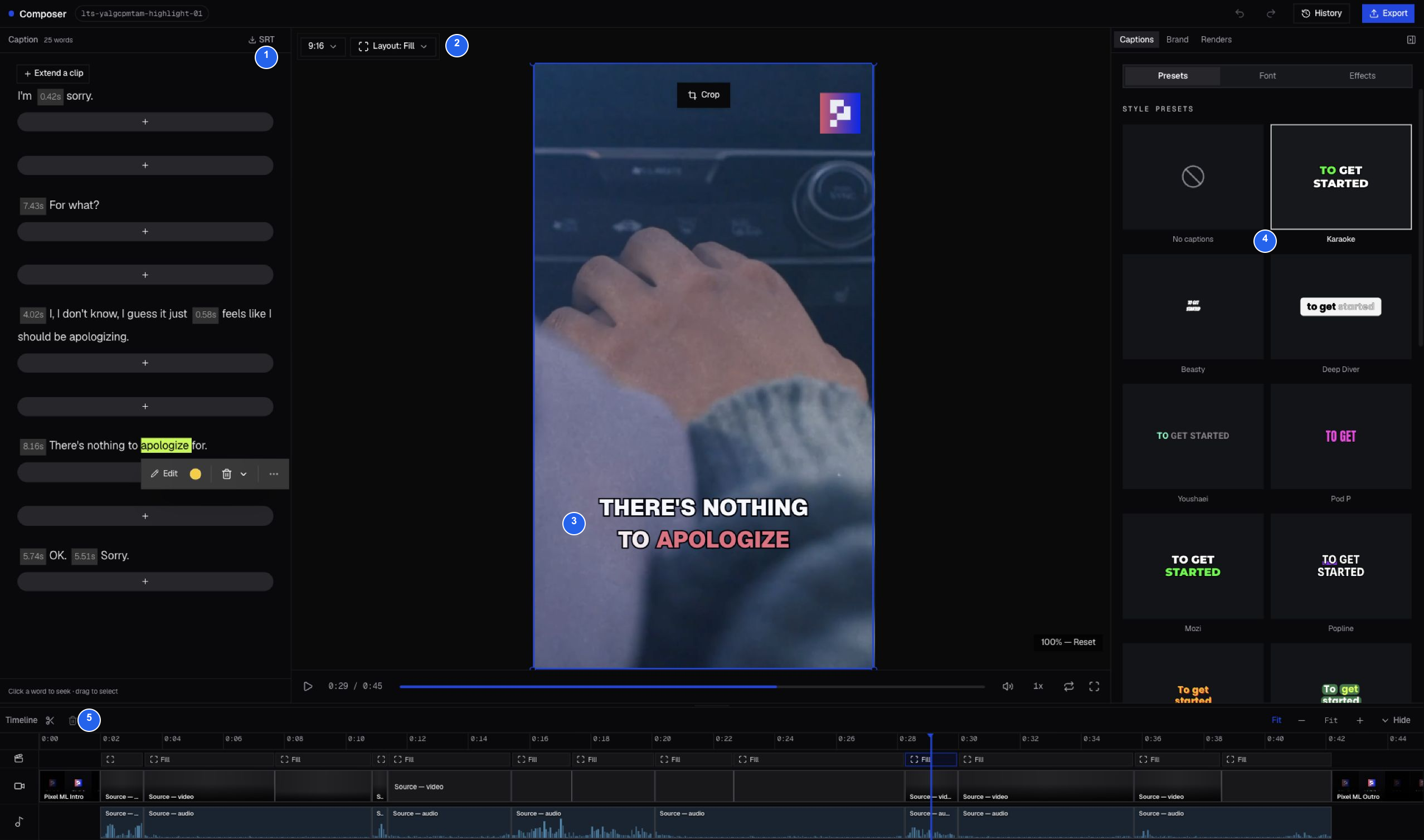
| # | Control or result |
|---|---|
| 1 | The editable English caption transcript. Click a word to seek to it. |
| 2 | 9:16 output and the current Fill layout. |
| 3 | A caption visible over the actual source picture. |
| 4 | Karaoke selected in the caption presets. |
| 5 | The timeline, including Pixel ML Intro and Pixel ML Outro. |
The example is displayed as 0:45 including the brand bumpers. Scrub through every camera change: a vertical crop that works for one person may need adjustment for another shot. Check caption placement against hands, faces, and important action—not just the first frame.
4. Export the reviewed edit
Play the whole highlight and check the beginning, ending, original dialogue, and intro/outro. If you change the composition in Studio, use Export to render the updated edit; the earlier MP4 does not prove those changes were rendered. Download and play the final file before delivery.
See Studio’s numbered control guide for caption, layout, branding, and export controls.
Footage: Nina (2025), Brendan Kaplan — CC BY 3.0. Film credits, content note, and attribution requirements.