Validate focused Search prompts
Start by deciding which sources could contain the moment. Then test one concrete query, review candidates, and narrow the scope if the results are noisy.
1. Test cross-genre discovery
Select Sintel and Lockheed Constellation, 1944. Search for flying
in the main query field.
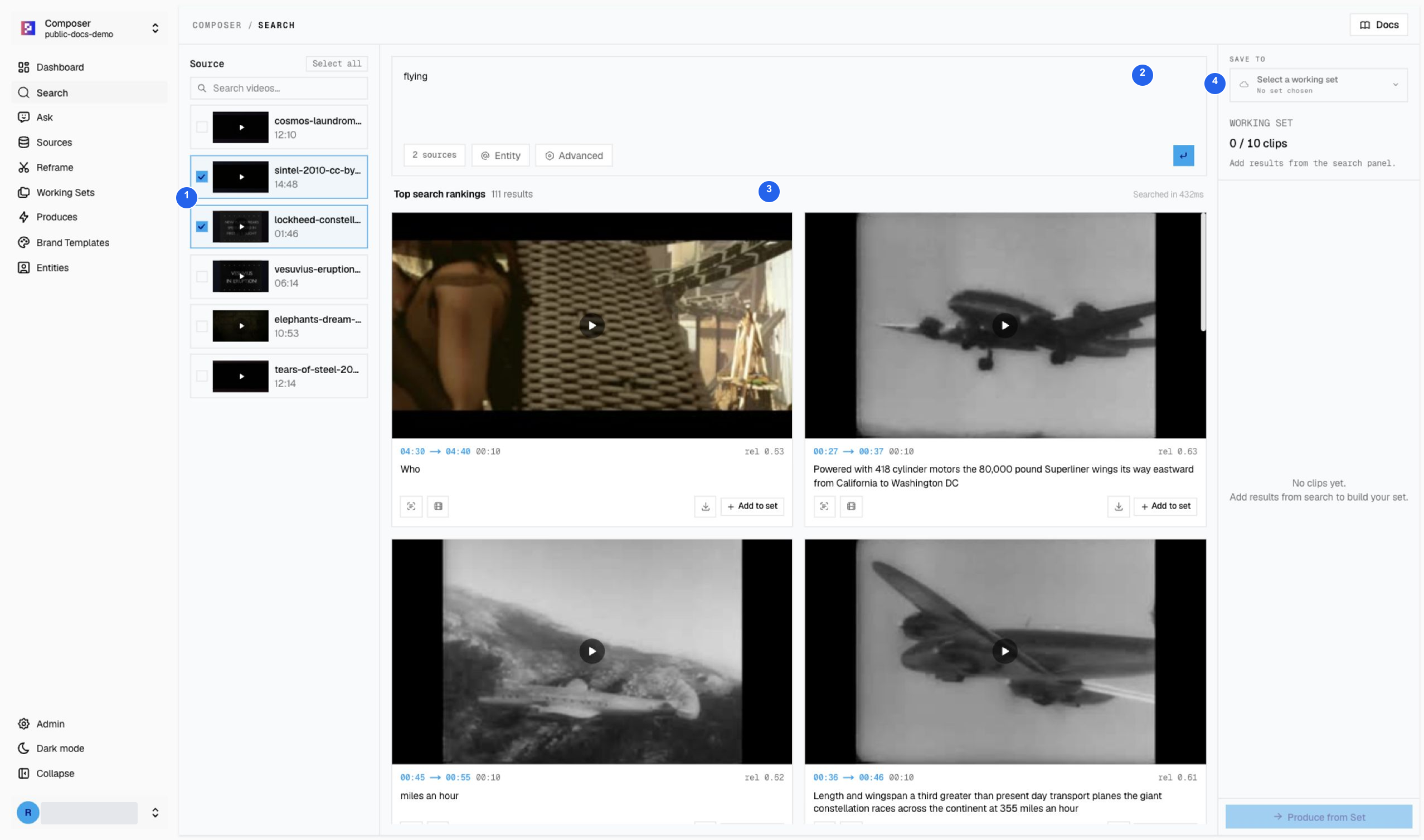
1 Two selected sources, 2 query, 3 results, 4 Save destination. The captured run returned 111 ranked moments. This shows the breadth of the library, not 111 equally useful clips.
2. Narrow to the story you actually want
| Editorial task | Selected source | Query | Captured result count |
|---|---|---|---|
| Flight discovery across genres | Sintel + Constellation | flying | 111 |
| Machine-themed drama teaser | Elephants Dream | machine | 73 |
| Historical eruption recap | Vesuvius, 1944 | lava | 42 |
Counts can change. Inspect the source title, time range, picture, and transcript before saving. A fiction clip and a newsreel clip are not interchangeable evidence even when both match the same visual query.
3. Adjust one retrieval setting at a time
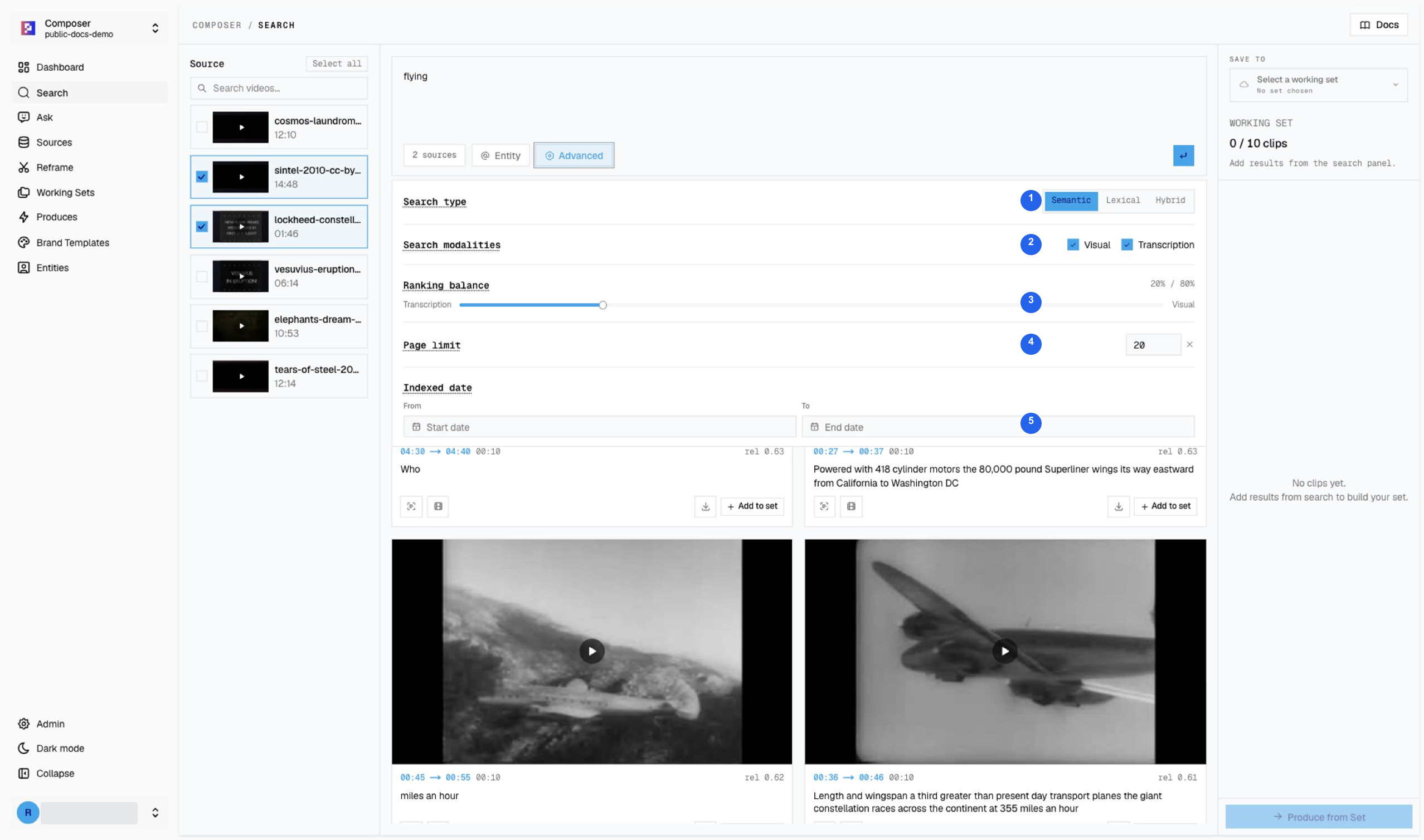
1 Search type, 2 visual/transcript modalities, 3 ranking balance, 4 page limit, 5 indexed-date range. The date filter describes indexing, not the date when the filmed event occurred.
Use semantic retrieval for meaning, lexical retrieval for exact wording, and the relevant modality for picture or speech. Change one control, search again, and compare the actual candidates.
4. Save only strong matches
The drama exercise saved five verified machine results. The historical-news
exercise used three cited ranges after Ask helped establish the story sequence.
Keep separate Working Sets and inspect the destination before each save.
Continue with the drama teaser or historical recap. Footage credits and licenses.