Produces
Produces is the project library. A saved project can have one or more options; open the intended option in Studio to continue editing.
Find a generated project
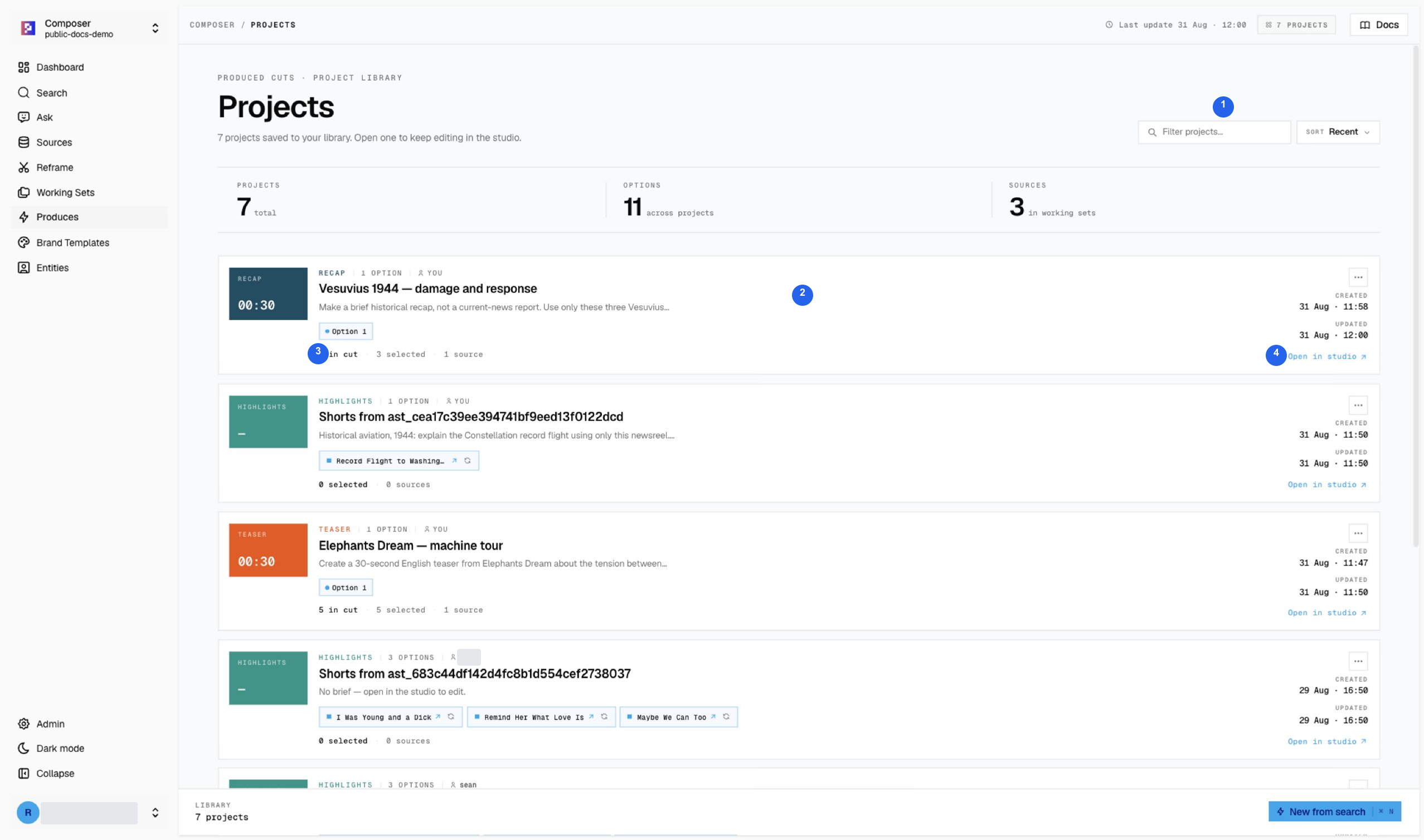
1 Filter/sort, 2 story title and brief, 3 saved option, 4 Open in Studio. The new Recap, aviation take, and drama teaser are visible together. Counts on this page describe projects and Working Set metadata, not the total number of indexed library videos.
Write the brief from a Working Set
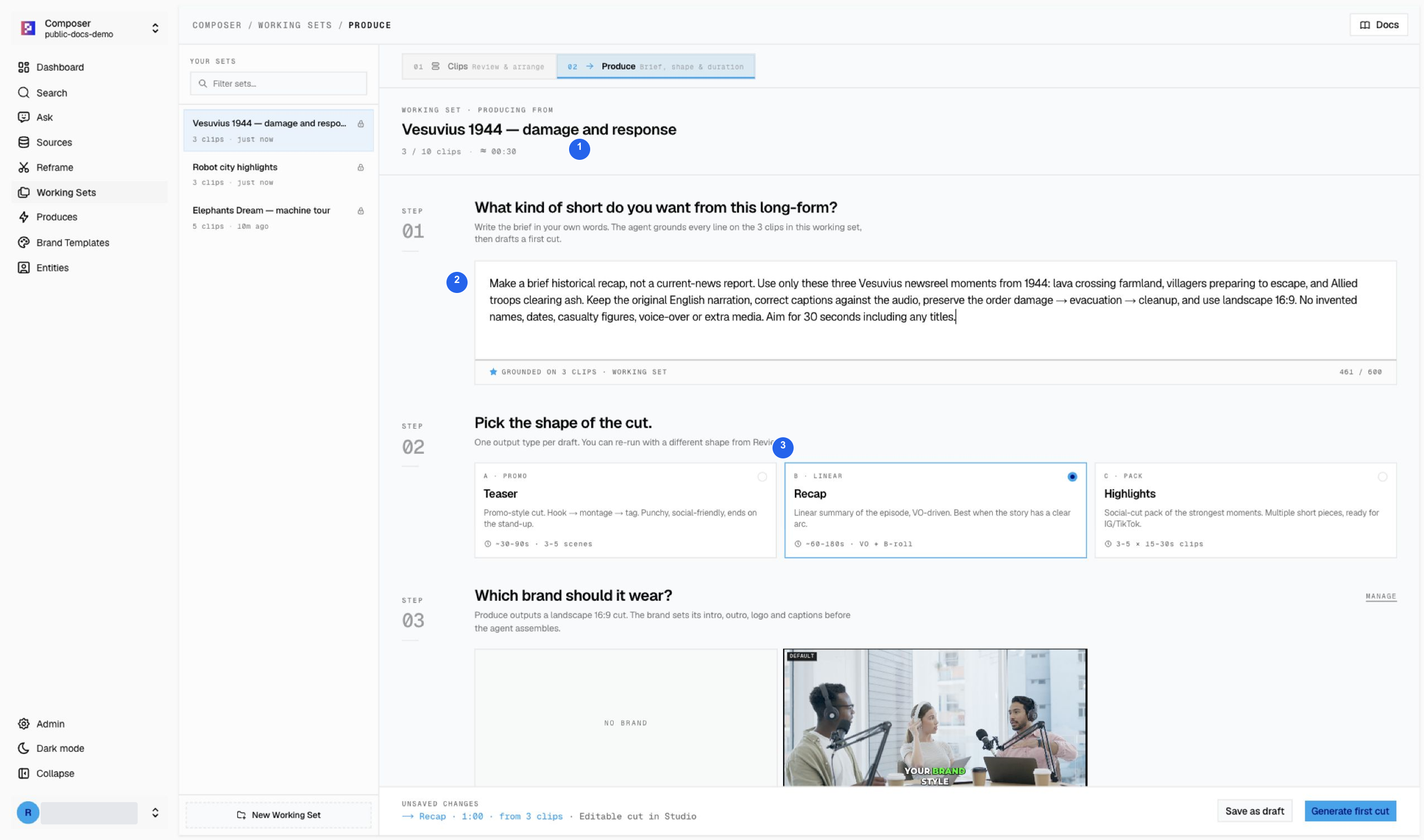
- Source pool: confirm the news set has three clips and about 30 seconds.
- Brief: say this is historical 1944 footage, preserve the source narration, and prohibit invented names, dates, or events.
- Shape: choose Recap for the damage → evacuation → cleanup sequence.
The upper screenshot is taken before the duration was changed. Scroll within the form to finish the settings; the lower screenshot shows the submitted 30-second target.
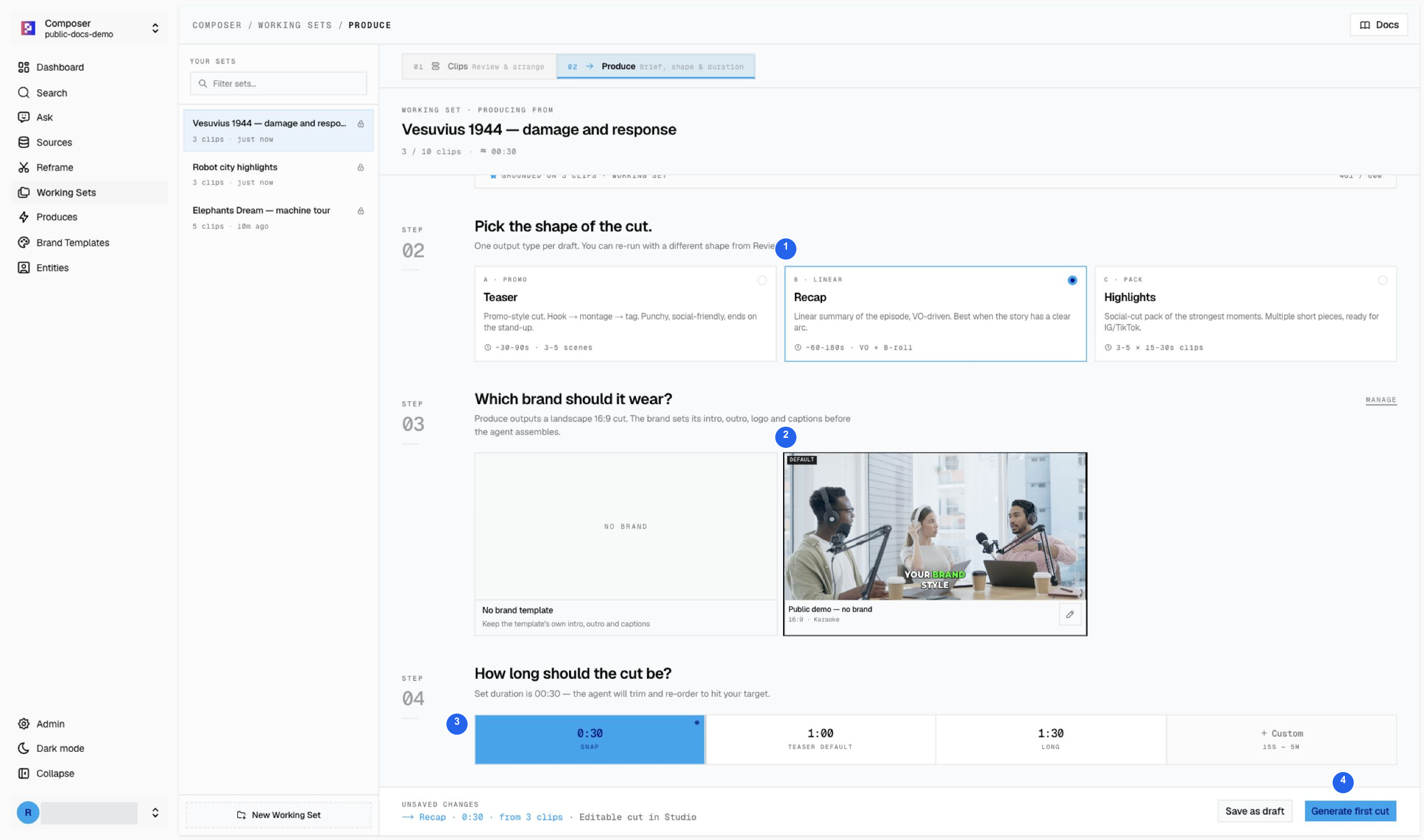
- Recap is the selected output shape.
- Public demo — no brand is the selected reusable treatment.
- 0:30 is the requested target, not a guaranteed exact duration.
- Generate first cut submits the brief; choose it once.
Wait for the editable project
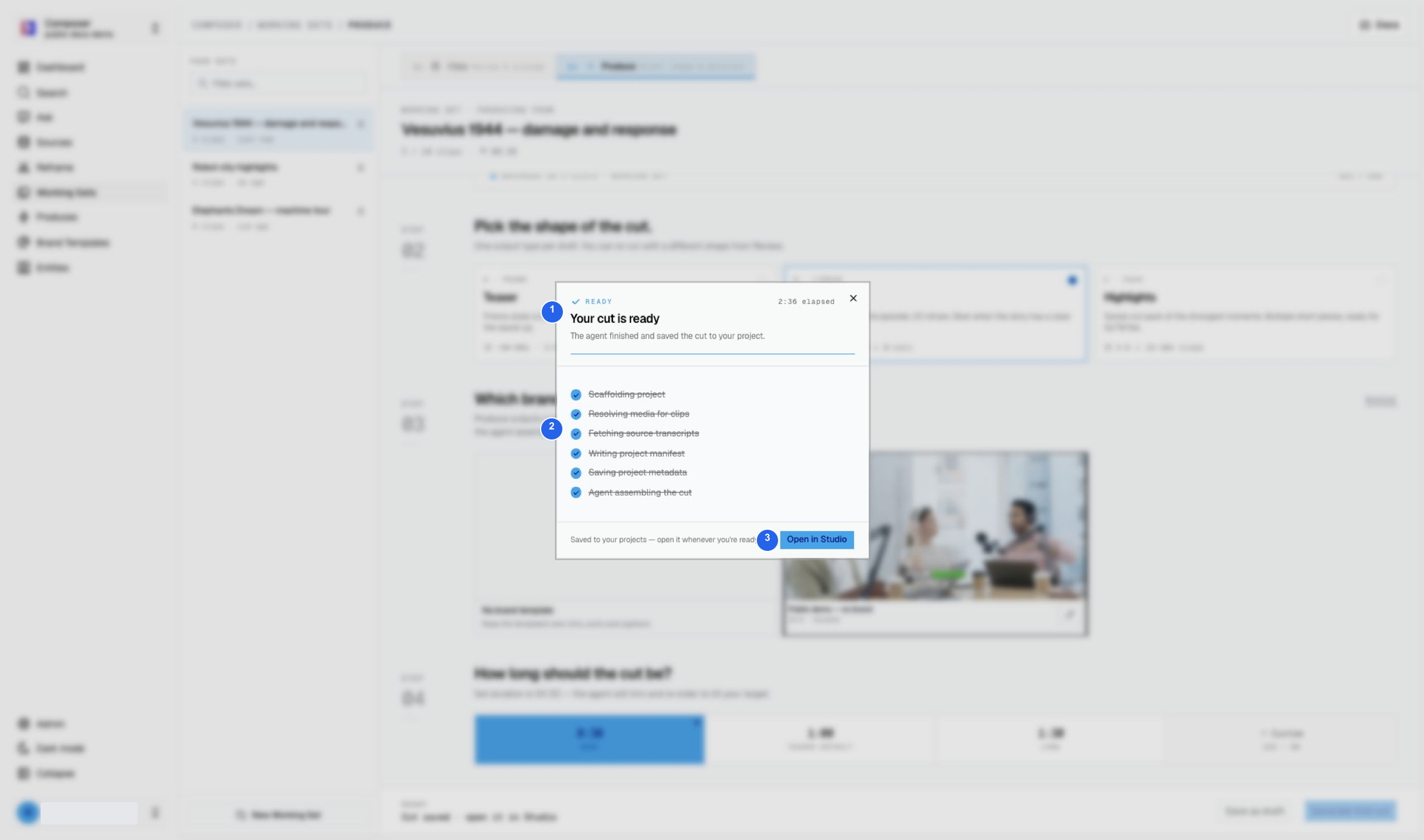
- Ready means generation saved a project.
- Completed stages show the assembly steps have finished.
- Open in Studio continues to editorial review.
If you close the dialog, return to Produces instead of starting a duplicate. Find the story by title, inspect its options, and open the correct cut. The news draft opened at 29 seconds; the drama example started at 30 seconds and changed length during later Studio edits.
Before delivery
A generated project is a first cut, not a certified final video. Review complete sentences, body clips, captions, crop, aspect, audio, and bumpers. Even a no-brand selection can need a second check of the actual generated timeline.
Continue with Studio’s numbered feature guide. Footage credits and licenses.