Reframe
Start from a Ready source in Sources. Its Create highlights dialog offers two editing approaches; the Reframe page lets you return to their runs.
Choose the approach
| Approach | Use it for | Demo source |
|---|---|---|
| Reframe | A continuous source window adapted to 9:16. | Vesuvius historical newsreel. |
| Agentic Long → Short | An editor-agent recut into an editable 16:9 take. | Constellation historical aviation newsreel. |
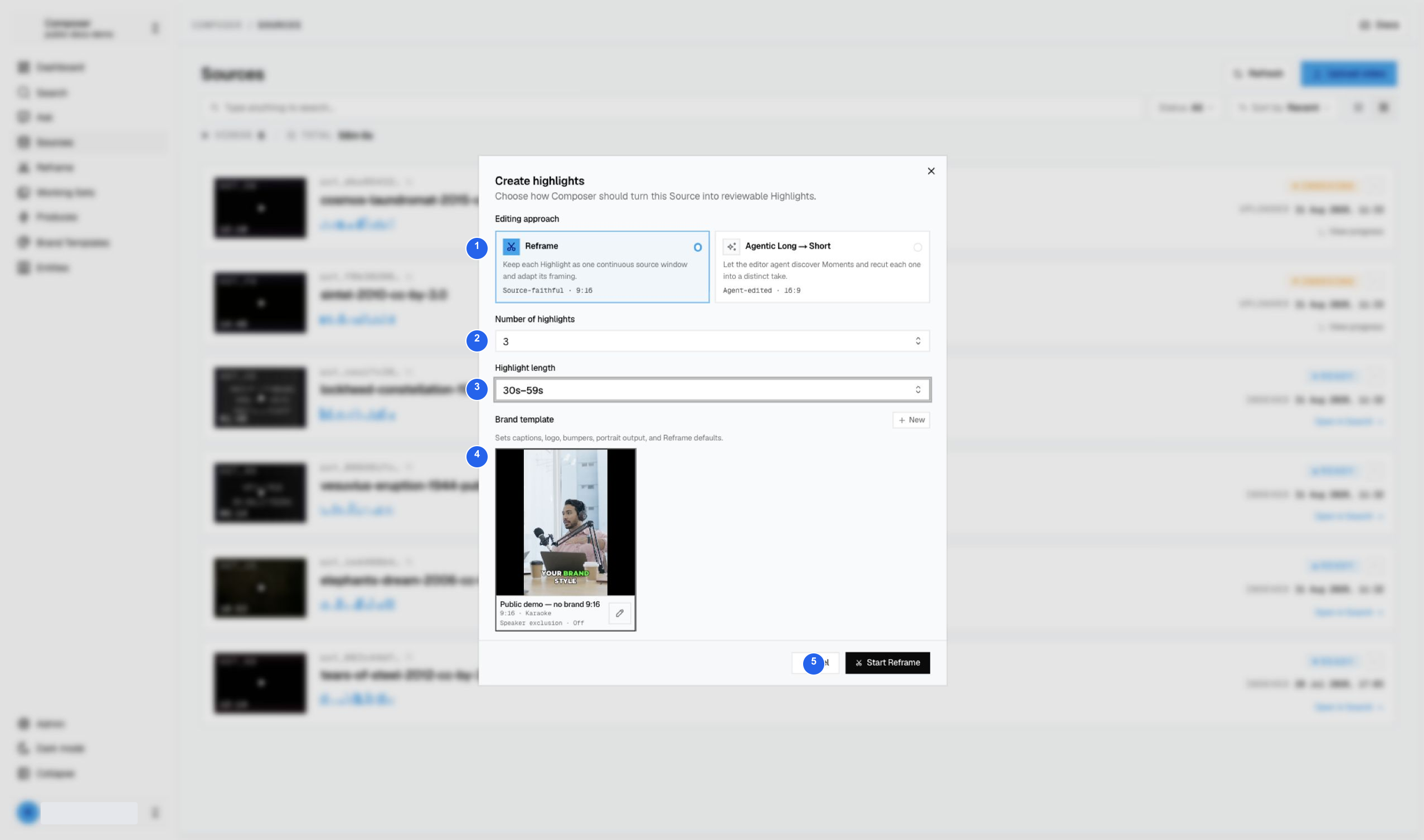
1 Reframe mode, 2 three requested highlights, 3 30s–59s length, 4 portrait template, 5 Start Reframe.
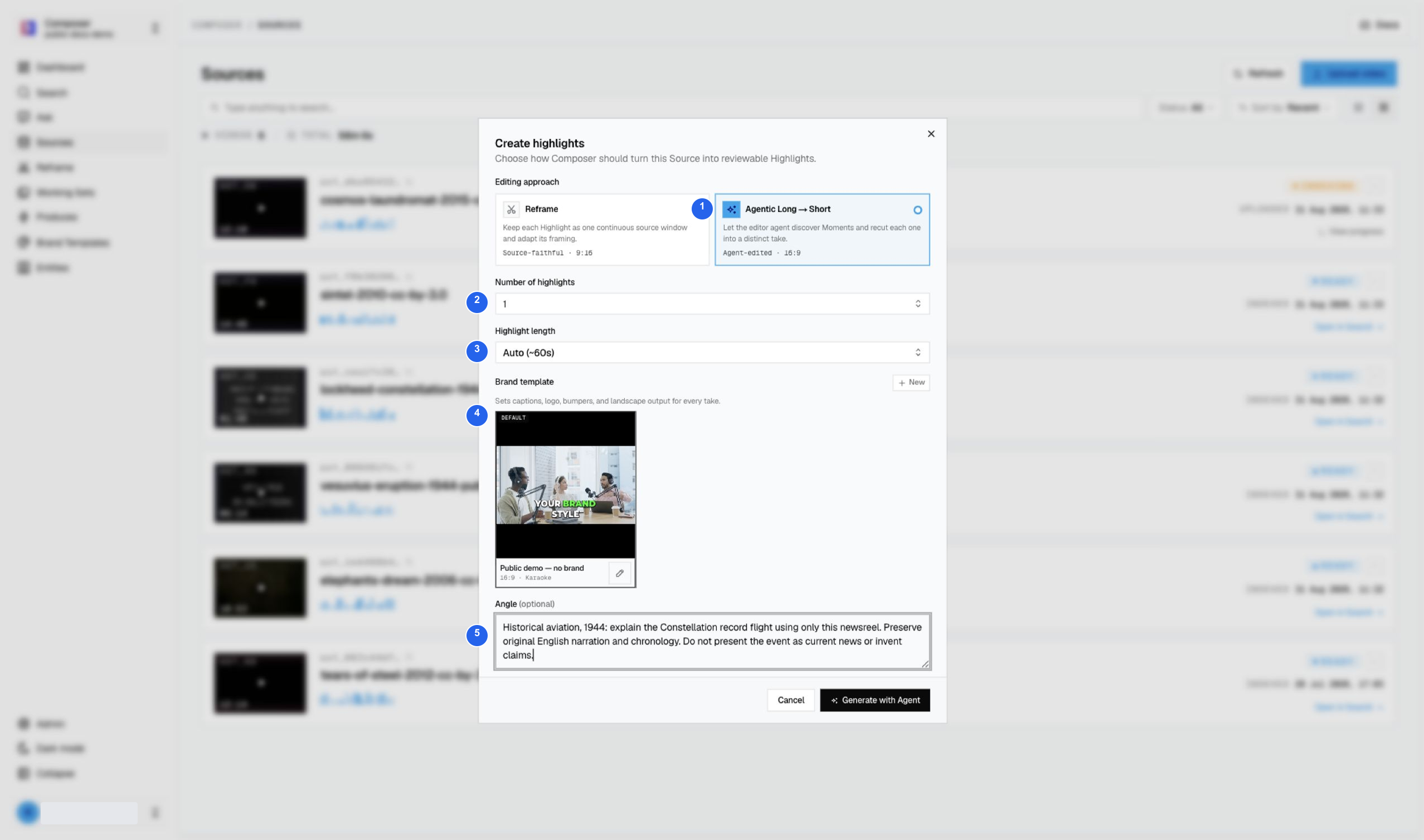
1 Agentic mode, 2 one highlight, 3 Auto (~60s), 4 landscape template, 5 an angle explicitly describing historical 1944 material.
Follow the run without submitting duplicates
- Confirm the source and settings before generating.
- Return to Reframe and choose the approach used for that run.
- Open Details to inspect progress or a failure.
- Open a completed candidate in Studio.
- Review the entire edit and downloaded file before delivery.
The aviation run produced Record Flight to Washington, displayed as 1:07. The Vesuvius Reframe run failed before creating highlights; the walkthrough shows its failure gate rather than implying a completed 9:16 output exists.
Continue with the Agentic result and Studio review or Reframe setup and recovery. Media credits.