Search
Search returns ranked moments from the sources you select. A larger library gives you more possible matches, but choosing the right sources matters more than searching everything.
Select sources, then search their content
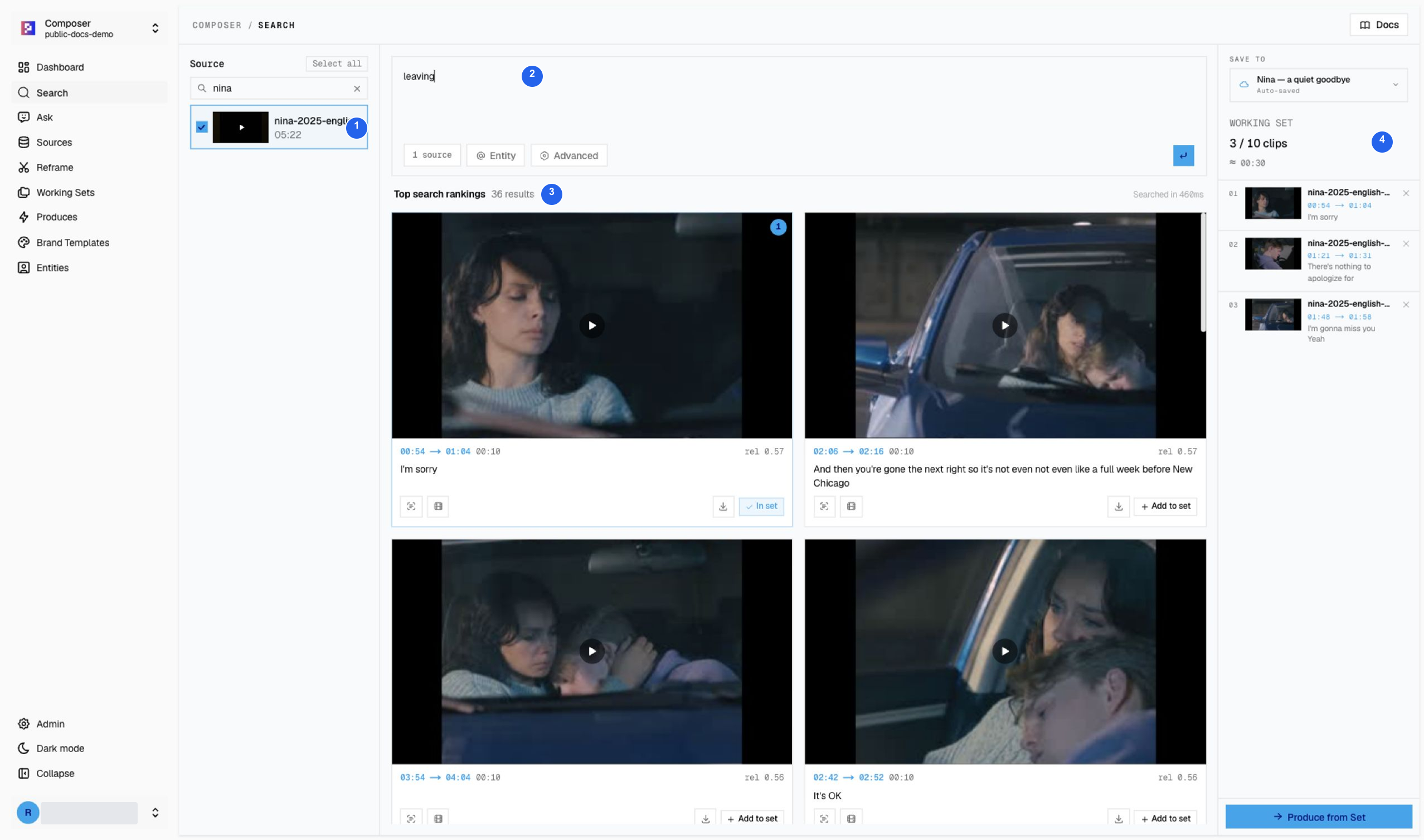
| # | Control | What to do |
|---|---|---|
| 1 | Source selection | Use Search videos… to find a title, then check the relevant videos. This example selects only Nina (2025). |
| 2 | Main query | Enter the content you want to find: leaving. Do not type this into the source-title filter. |
| 3 | Results | The captured run returned 36 ranked moments. Preview candidates and confirm their source and timestamps. |
| 4 | Save to | Choose the intended Working Set before collecting useful clips. |
A result count is not a count of useful clips. A semantic search for leaving
can return an apology, a goodbye, or a reaction shot without that exact word in
the dialogue. Keep only moments that support the intended scene.
Narrow the search for an actual edit
The captured run saves three dialogue windows to Nina — a quiet goodbye: 0:54–1:04, 1:21–1:31, and 1:48–1:58. They form a small sequence: an apology, reassurance, and missing each other. Follow the complete teaser exercise.
Counts reflect the captured runs and can change as the library or ranking changes.
Tune retrieval only when needed
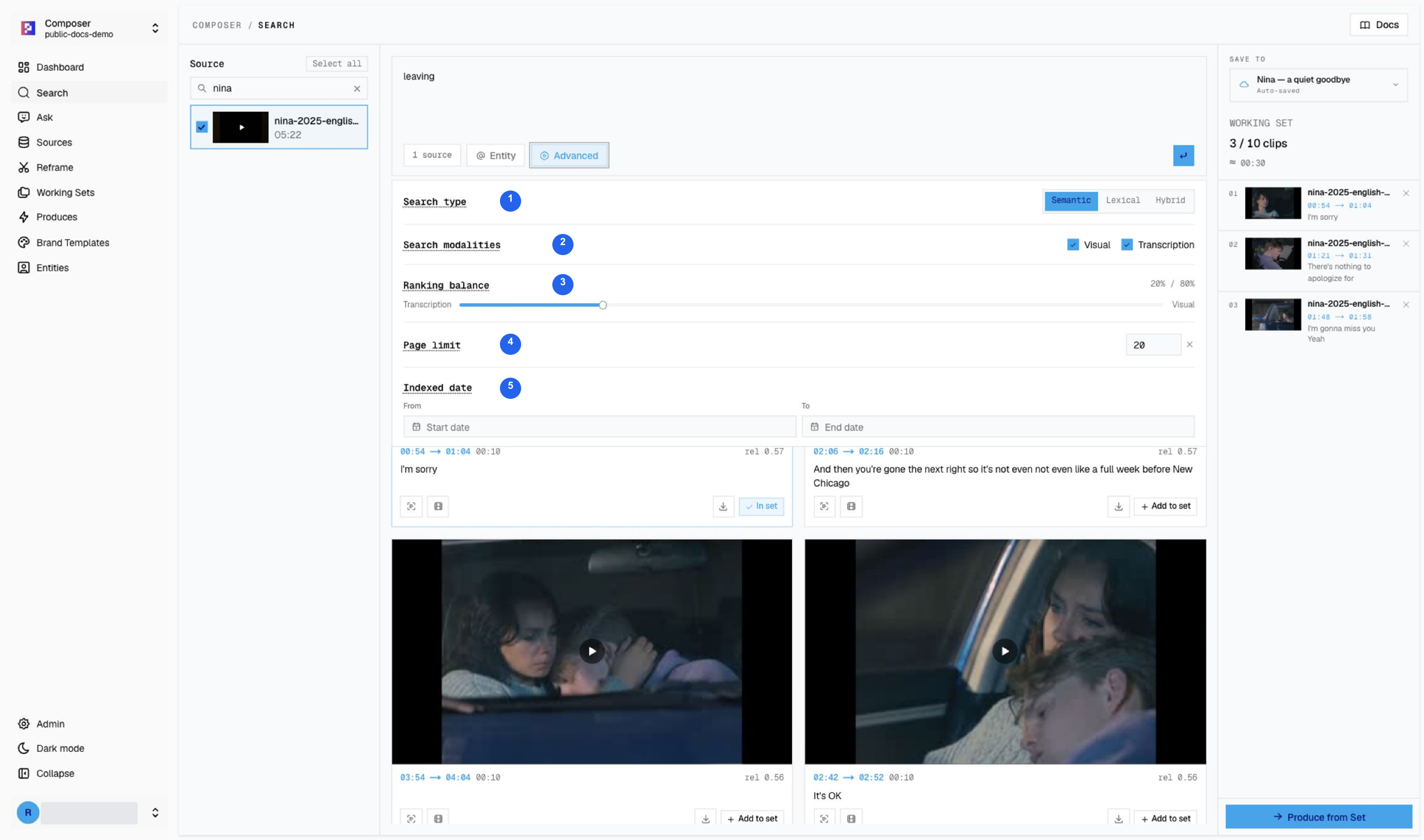
| # | Setting | Why it matters |
|---|---|---|
| 1 | Retrieval mode | Semantic looks for meaning; Lexical helps with exact wording; Hybrid combines approaches. |
| 2 | Modalities | Visual searches what appears on screen; Transcription searches speech. Use both when both types of evidence matter. |
| 3 | Ranking balance | Adjust the visual/transcript emphasis, then inspect the changed results. The captured example uses 20/80. |
| 4 | Results per page | Controls the number shown at once, not how many good clips exist. |
| 5 | Date range | Narrows the available date field. It is not proof of the historical date of an event. |
If an exact quote is absent, try a spelling variant or semantic retrieval. Automatic transcription can mishear names and numbers.
Verify before saving
- Confirm the selected source and the result’s source title agree.
- Play the candidate and check its timestamp, picture, and speech.
- Reject duplicates and moments that lack the context the story needs.
- Save to the intended set and confirm the clip count changes.
- Open the set before Produce to check the final clip pool.
Entity-assisted search has an additional Ready gate. Newly indexed videos do not automatically make an entity Ready.
Footage: Nina (2025), Brendan Kaplan, CC BY 3.0. Credits and reuse conditions.