MBM export
MBM gives you a structured first pass over a source: time ranges, generated summaries, representative frames, and available entity matches.
Generate from a Ready source
In Sources, open the menu for Lockheed Constellation, 1944 and choose Generate MBM. Wait for Ready, then open its timeline.
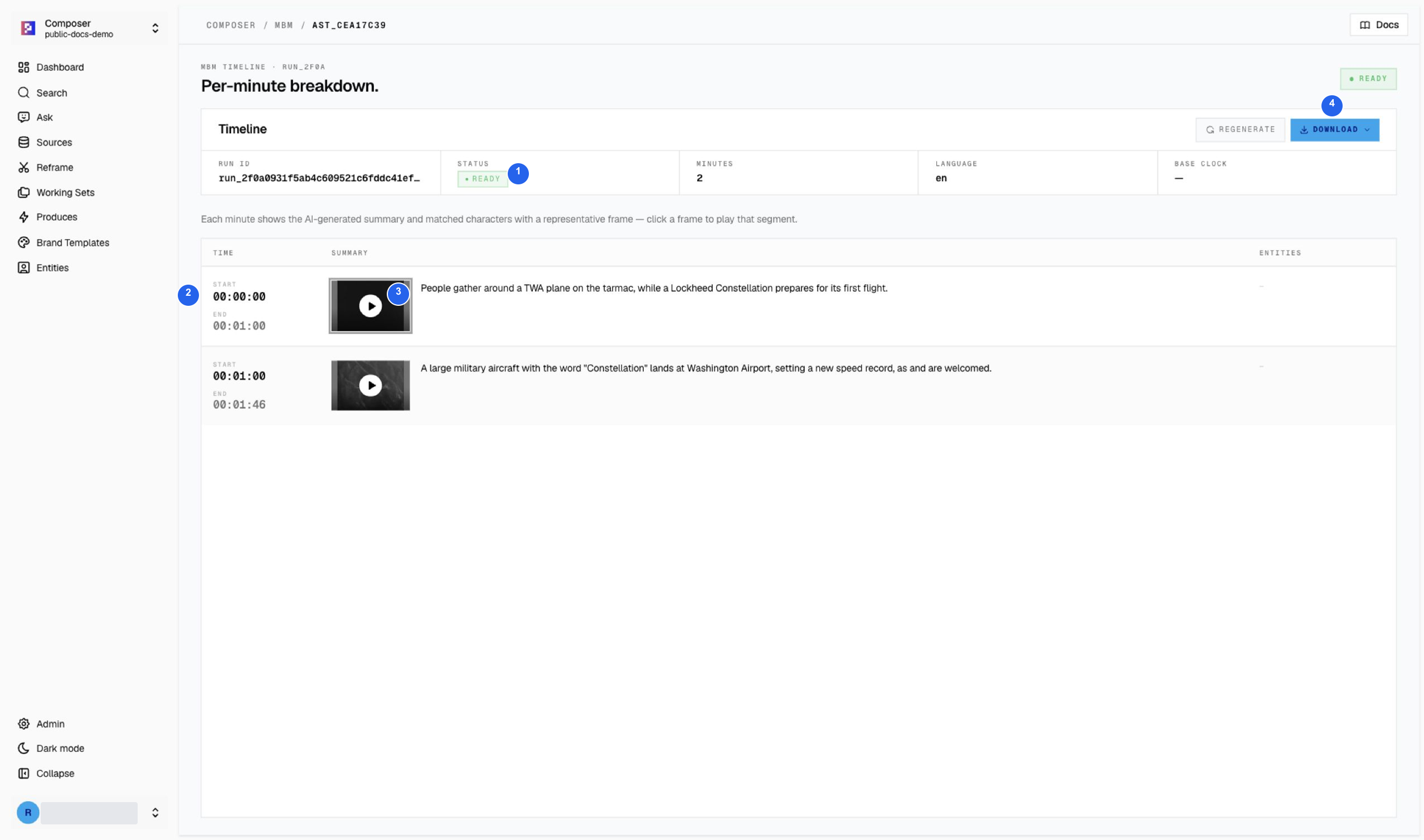
| # | Area | What to check |
|---|---|---|
| 1 | Run summary | Ready status, two minute rows, and English (en). |
| 2 | Time ranges | 0:00–1:00 and 1:00–1:46 cover the source, including the shorter final minute. |
| 3 | Frame and summary | Play the source to verify the generated description. A summary can be incomplete or inaccurate. |
| 4 | Download | Choose the available CSV or XLSX format. |
The second generated summary in this example contains the incomplete phrase “as and are welcomed.” Correct or qualify it in your editorial notes; Ready means the breakdown exists, not that every sentence is reliable.
Verify a row with source playback
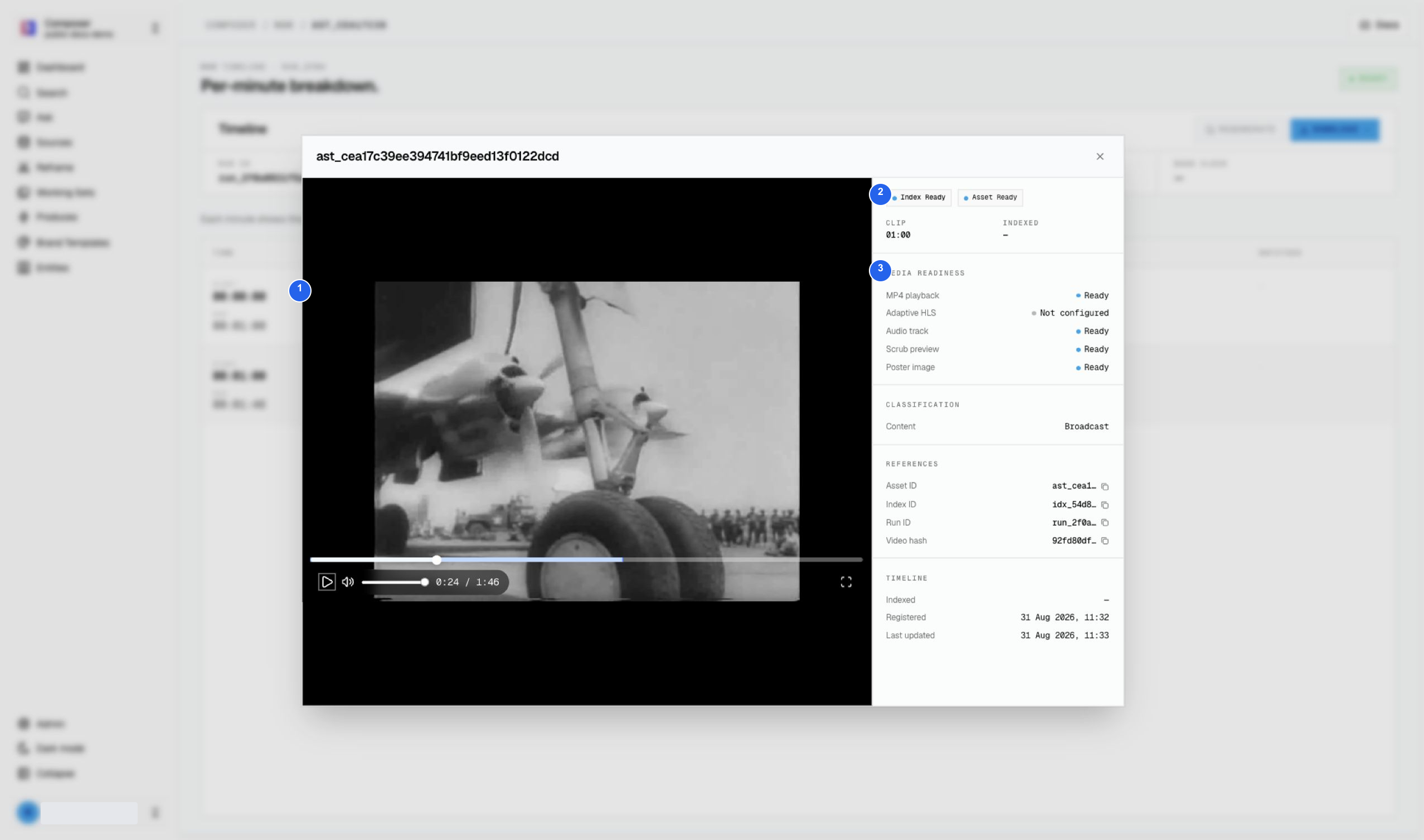
1 Play the source and inspect context, 2 confirm Index and Asset readiness, 3 inspect media readiness. The player may continue beyond the selected minute, so use the row’s timestamps when checking the intended range.
Validate the download
The demo’s CSV download was opened locally and contained the two expected time ranges. XLSX is offered in the menu but was not part of that file check.
- Open the downloaded file outside Composer.
- Confirm timestamps increase and stay within the source duration.
- Check coverage, including the last partial minute.
- Verify names, numbers, and descriptions against the source.
- Treat blank entity cells as missing matches, not proof nobody appears.
Footage: United News / NARA, 1944. Credits and reuse conditions.