Dashboard
Dashboard gives eligible accounts a high-level view of the selected index. Always confirm the index before interpreting its counts.
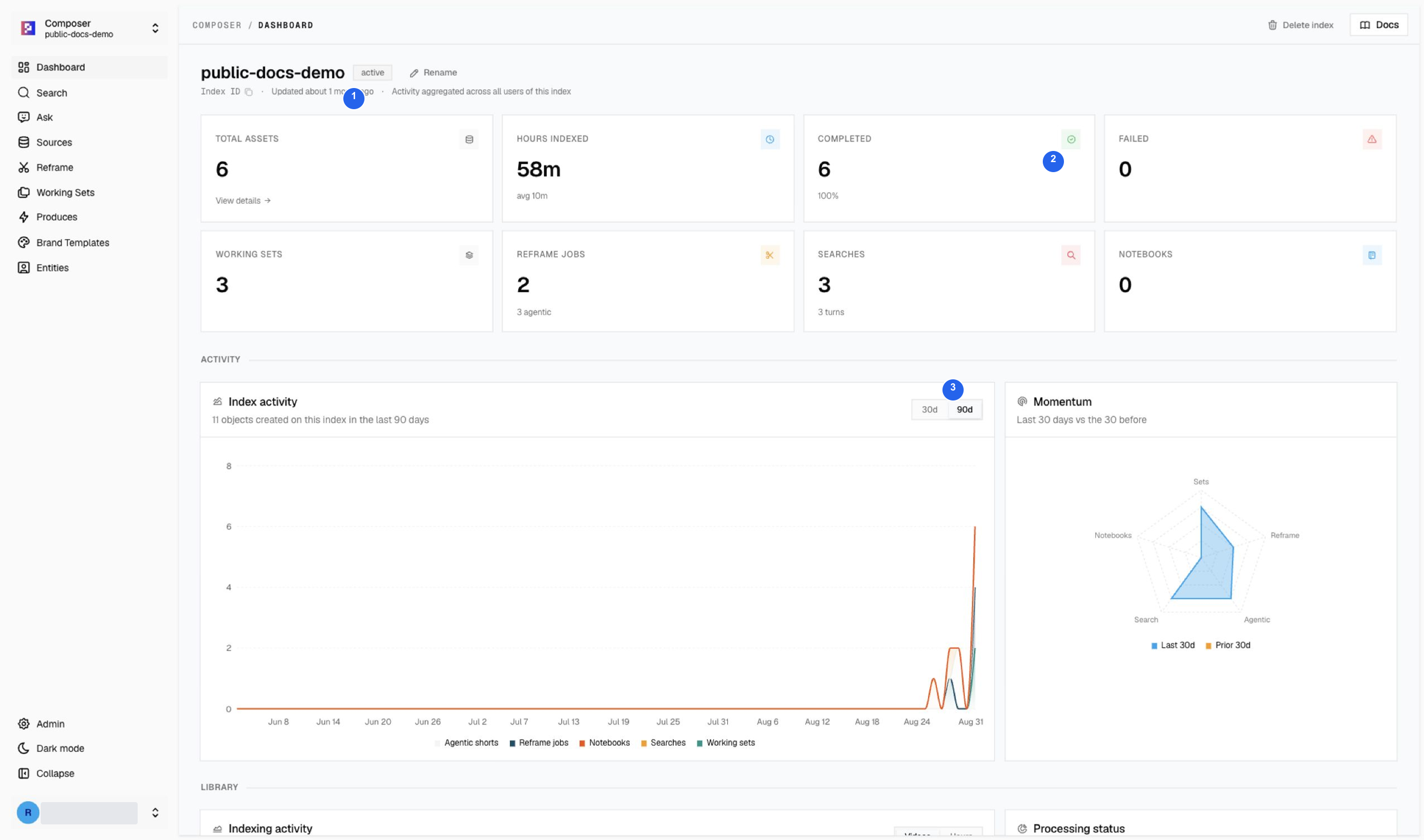
| # | Area | What it tells you |
|---|---|---|
| 1 | Index | Confirm public-docs-demo before reviewing this example. |
| 2 | Ingestion status | Six assets completed, 100% completion, zero failed assets. The five new uploads have joined the original source. |
| 3 | Activity | Review searches and production activity separately from asset ingestion. |
The library contains 58m 6s of footage. “Completed 6 / 6” describes asset processing; it does not mean every Reframe job or generated edit succeeded. In this same session, a Reframe job failed while Search, Ask, Produce, Studio, and MBM remained usable.
If Dashboard is not visible
- Confirm your account role and active index.
- Continue with Sources and the editor pages available to you.
- Ask an administrator to inspect dashboard access if your role requires it.
Use Sources to check individual files and Produces to inspect actual editable outputs. Demo media and credits.