Working sets
A Working Set is a clip pool for one story, not a copy of the full library. The demo keeps live-action drama, environmental features, and historical news in separate sets.
Review a focused set
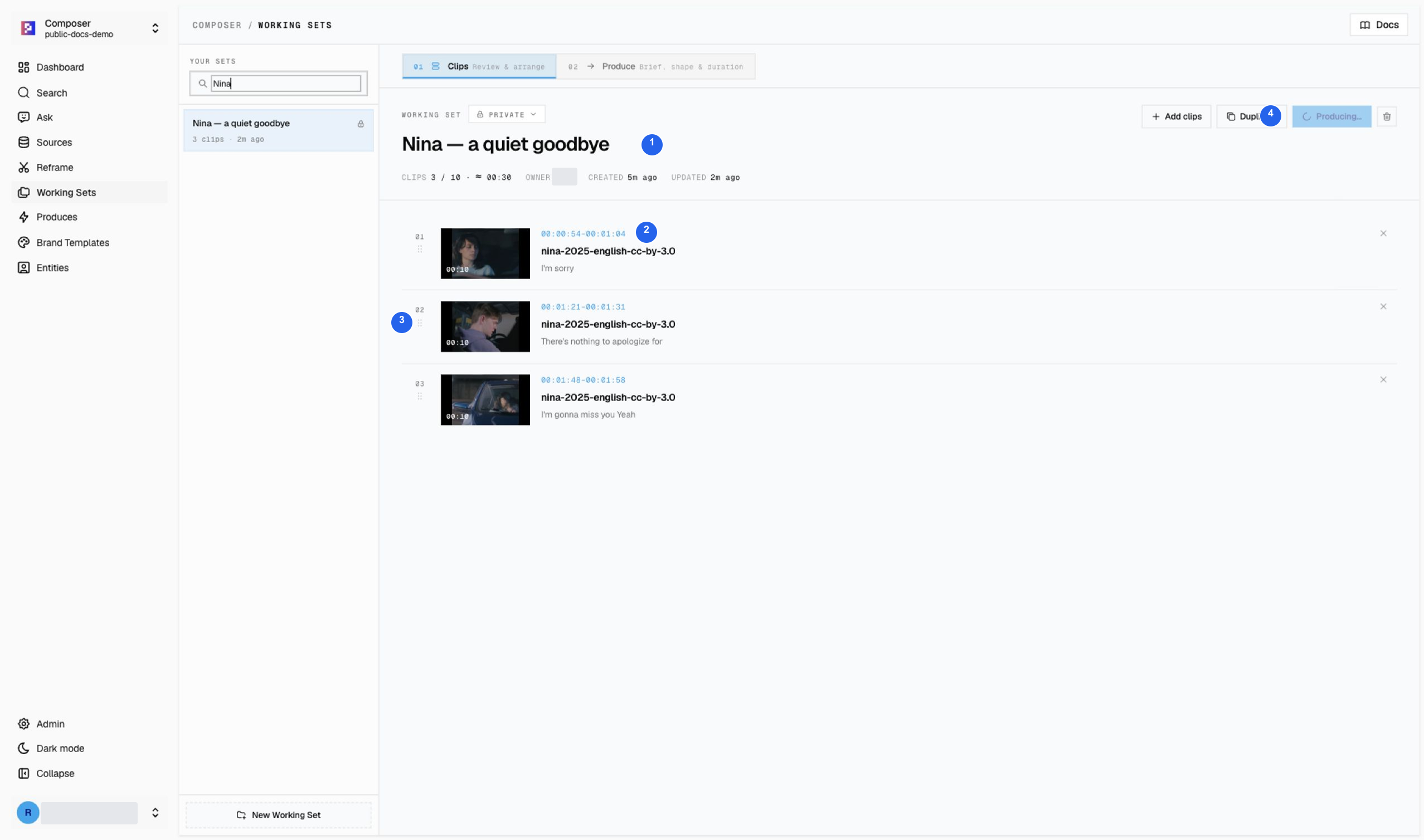
| # | Area | What to check |
|---|---|---|
| 1 | Story and clip count | Nina — a quiet goodbye contains three clips, about 30 seconds in total. |
| 2 | Source ranges | Confirm each title, thumbnail, and timestamp against the source. |
| 3 | Clip order | Review the sequence apology → reassurance → missing each other. Use the drag handle when the order needs changing. |
| 4 | Produce | Open the brief only after the clip pool supports the story. This screenshot was taken after generation started, so the button reads Producing…. Do not start a duplicate run. |
These are source windows from Nina (2025): 0:54–1:04, 1:21–1:31, and 1:48–1:58. Do not add environmental or news footage here just because this set was used most recently.
Create and maintain a set
- Name the story before adding clips.
- Save reviewed results from Search or cited cards from Ask.
- Confirm the destination and new clip count after every save.
- Remove weak or duplicate moments; arrange a useful review order.
- Use Produce when the set is ready.
A set can hold up to 10 clips. Three strong clips can support a short recap; you do not need to fill all ten slots. The source duration in a set is not a promise of the final edit’s duration.
Brief the first cut
State the audience, story angle, opening, output shape, target duration, and what must not be invented. Keep the prompt grounded in the clips actually saved.
For complete examples, use the drama teaser or historical recap. Media credits.